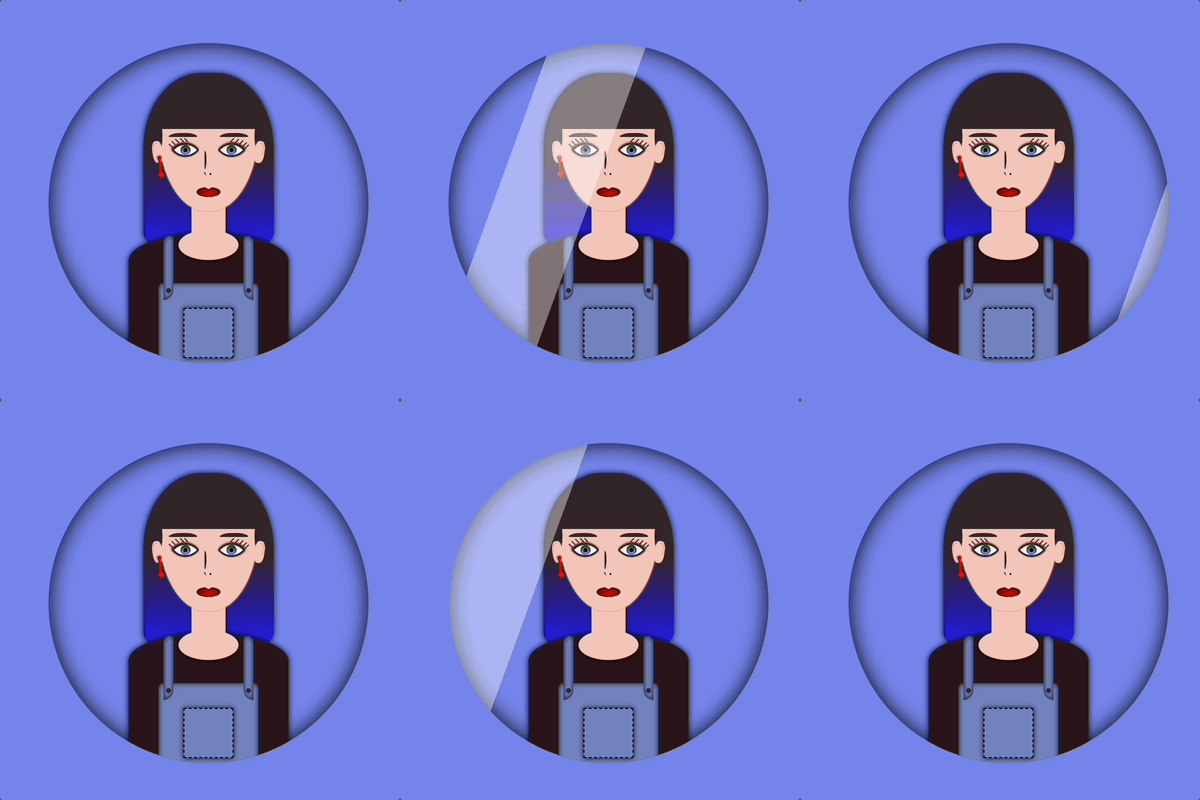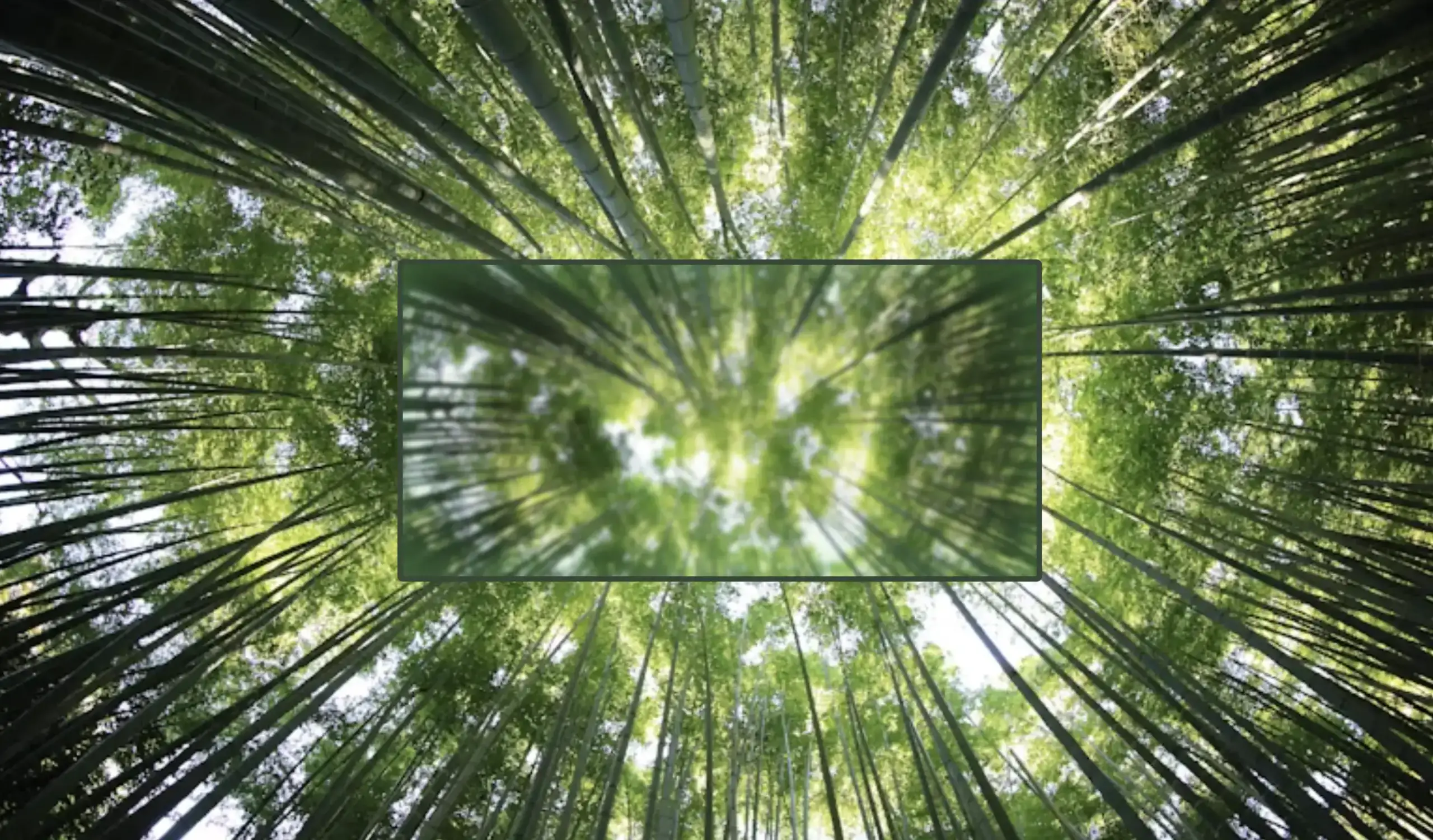
Tag: overflow

  • Introduction To The Powerful CSS Blur Effect

    Introduction To The Powerful CSS Blur Effect

    Hello everybody 😃 Today, we will discover the art of the powerful CSS blur effect. Get ready to meet the amazing backdrop-filter CSS property. We’ll dive 🤿 into the world of adding visual elegance and depth to our web design, and we will learn to create captivating and stunning web elements. Let’s get started!

    Adding basic HTML structure

    Let’s get started with the HTML setup. We create a parent div named custom-container for the background and a child div named blurry-container where we will apply the CSS blur effect. Follow along for the step-by-step process.

    <div class="custom-container">
      <div class="blurry-container"></div>
    </div>
    HTML

    Adding the background image

    We move forward with the CSS structure by preparing the background. I opted for a striking and colorful background image as it is more impressive and gives prominence to our effect, setting background-image. I also add background-repeat which determines how the background image is shown, and background-size which sets the size of the image, in our case we want to fill the entire display. Completing it with height: 100vh for full-screen coverage.

    .custom-container {
      background-image: url(https://images.unsplash.com/photo-1540959733332-eab4deabeeaf?ixlib=rb-1.2.1&ixid=MnwxMjA3fDB8MHxwaG90by1wYWdlfHx8fGVufDB8fHx8&auto=format&fit=crop&w=1194&q=80);
      background-repeat: no-repeat;
      background-size: cover;
      height: 100vh;
    }

    CSS

    The next step is to create a “place” where we can accommodate our blur, I believe a box would serve this need. To begin, I create one by setting the appropriate width and height along with its border and border-radius. I utilized borders to ensure my box remains visible. Whether to keep them or not is entirely up to you. The design can still look great in both cases. Feel free to choose whichever option suits your preference or the project’s requirements. 😃

    .blurry-container {
      border: 2px solid white;
      border-radius: 5px;
      width: 400px;
      height: 500px;
    }

    CSS

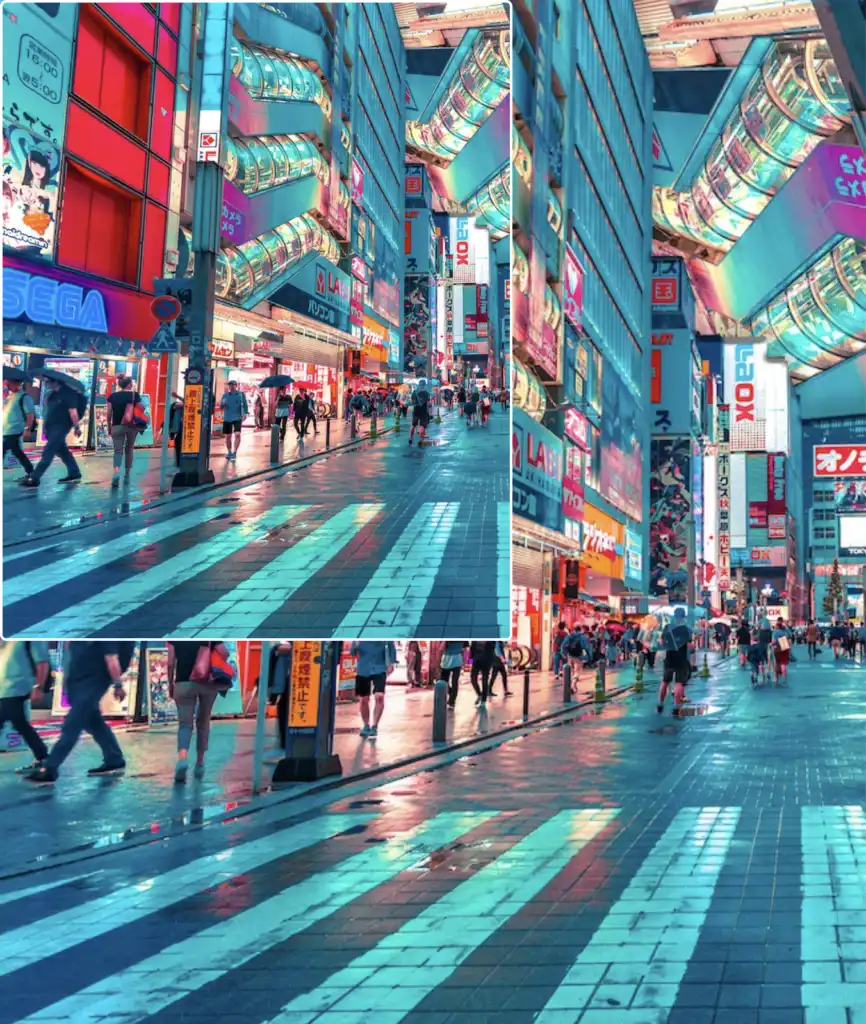
    If we want our box to share the same image as its background, and not just be transparent, it is crucial to add the background: inherit CSS property.

    In the following image, we can see clearly that our box now has the exact same image as its background.

    .blurry-container {
      ...
      background: inherit;
    }
    CSS

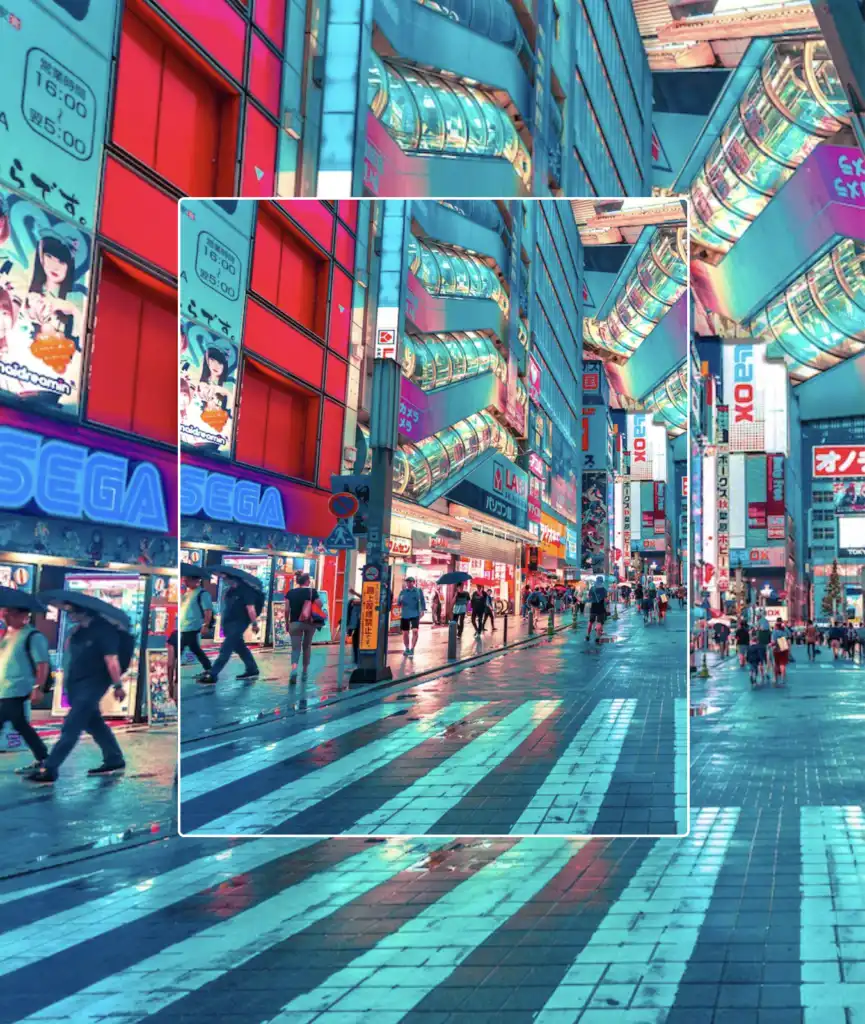
    Now it’s time to center our box. We do so by applying the flex CSS property to the parent HTML element which is the custom-container.

    .custom-container {
      ...
      display: flex;
      align-items: center;
      justify-content: center;
    }
    CSS

    Adding the blur effect (backdrop-filter)

    We create the blur effect using the pseudo-element :before. To manage this, we have to set position:relative to the parent element and position: absolute to the child. The child element needs the content CSS property to be assigned an empty string value in order to be displayed. Despite the recent code adjustments, you won’t notice any visible changes on the screen just yet. 😭

    .custom-container {
      ...
      position: relative;
      .blurry-container {
        ...
        &:before {
          position: absolute;
          content: "";
        } /* end of before */
      } /* end of blurry-container */
    } /* end of custom-container */
    SCSS

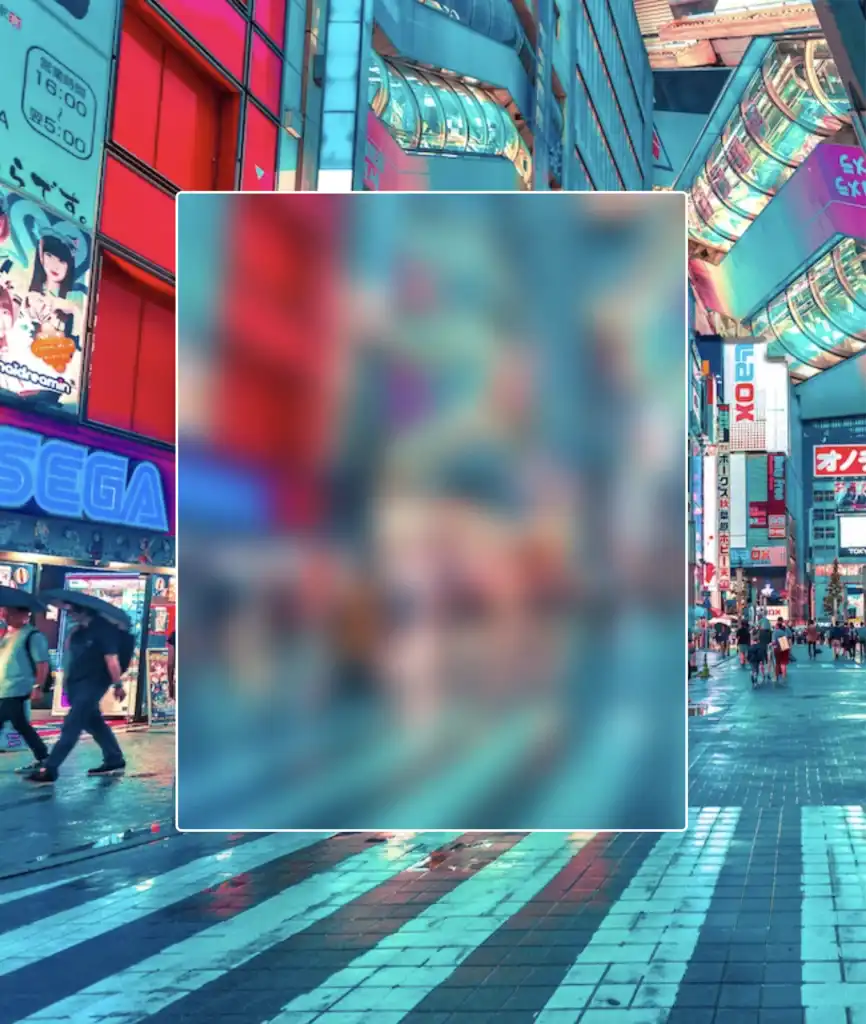
    Let’s proceed with our effect. 🥁 We do so by adding the backdrop-filter CSS property to :before pseudoelement. Increasing the pixel value intensifies the blur effect by creating a stronger visual impact. I’ve applied a 12px blur effect, but you have the flexibility to adjust it according to your preferences. If you desire a clearer look, feel free to reduce ⬇ the pixels. Alternatively, for a stronger fade effect, you can increase ⬆ the pixel value.

    &:before {
      ...
      backdrop-filter: blur(12px);
    }


    SCSS

    🔖 What to avoid when applying the blur effect

    Remember that the blur effect can sometimes get out of control on a web page because of how it’s applied to an element. When you use the blur effect, it makes the element bigger, like it’s expanded, depending on how much blur you want. So, the more blur you add, the larger the element becomes. Because of that, the element might grow so big that it spills out of its box or crashes into nearby elements. 😟
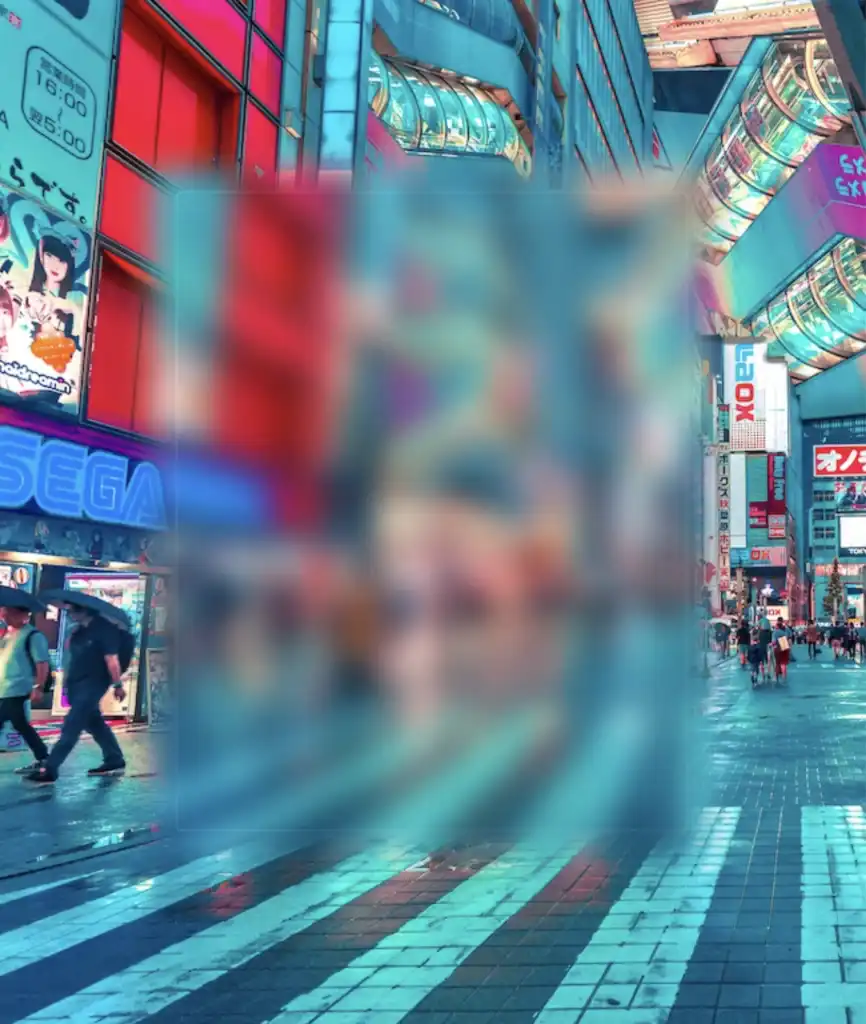
    Observe how the blur CSS property overflows in the current setup above. To correct that, apply the overflow: hidden CSS property to the PARENT element custom-container. With this modification, you can control the blur effect and prevent it from causing a mess on your web page.

    .custom-container {
      ...
      overflow: hidden;
    }
    SCSS

    … and boom 🥳 here it is! Our blur effect displayed flawlessly, as intended!
    Complete code solution

    Below is the full code referenced in this blog post. Feel free to copy and use it in your own projects. If you have any questions or encounter any issues, don’t hesitate to reach out for assistance. You can easily copy the desired code snippet by clicking on the copy icon, located in the top-right corner of each snippet.

    <section class="custom-container">
      <div class="blurry-container">
        <div class="title">Hello World</div>
      </div> <!-- end of blurry-container -->
    </section> <!-- end of customer-container -->
    HTML
    * {
      box-sizing: border-box;
      padding: 0;
      margin: 0;
    }
    
    .custom-container {
      height: 100vh;
      display: flex;
      align-items: center;
      justify-content: center;
      background-image: url(https://images.unsplash.com/photo-1540959733332-eab4deabeeaf?ixlib=rb-1.2.1&ixid=MnwxMjA3fDB8MHxwaG90by1wYWdlfHx8fGVufDB8fHx8&auto=format&fit=crop&w=1194&q=80);
      background-repeat: no-repeat;
      background-size: cover;
    
      .blurry-container {
        position: relative;
        border: 2px solid white;
        border-radius: 5px;
        width: 400px;
        height: 500px;
        padding: 100px 50px;
        display: flex;
        align-items: center;
        justify-content: center;
        background: inherit;
        overflow: hidden;
        &:before {
          content: "";
          position: absolute;
          top: -20px;
          left: -20px;
          bottom: -20px;
          right: -20px;
          box-shadow: inset 0 0 300px rgba(25, 100, 128, 0.5);
          backdrop-filter: blur(12px);
        }
        .title {
          font-size: 50px;
          color: #132216;
          font-weight: bold;
          padding: 5px 20px;
          border: 2px solid #364739;
          border-radius: 50px;
          backdrop-filter: blur(8px);
        }
      } /* end of blurry-container */
    } /* end of customer-container */
    SCSS
    Expand

    Complete code solution for post’s cover

    Below, I include the code for my post’s cover. I also added a title to see how we add text over the blur effect. 😎

    <section class="custom-container">
      <div class="blurry-container">
        <div class="title">Hello World</div>
      </div> <!-- end of blurry-container -->
    </section> <!-- end of customer-container -->
    HTML
    * {
      box-sizing: border-box;
      padding: 0;
      margin: 0;
    }
    
    .custom-container {
      height: 100vh;
      display: flex;
      align-items: center;
      justify-content: center;
      background-image: url(https://images.unsplash.com/photo-1440342359743-84fcb8c21f21?w=800&auto=format&fit=crop&q=60&ixlib=rb-4.0.3&ixid=M3wxMjA3fDB8MHxzZWFyY2h8MTJ8fGZvcmVzdHxlbnwwfDB8MHx8fDA%3D);
      background-repeat: no-repeat;
      background-size: cover;
      .blurry-container {
        position: relative;
        border: 2px solid #364739;
        border-radius: 20px;
        width: 500px;
        height: 300px;
        padding: 100px 50px;
        display: flex;
        align-items: center;
        justify-content: center;
        background: inherit;
        overflow: hidden;
        &:before {
          content: "";
          position: absolute;
          top: -20px;
          left: -20px;
          bottom: -20px;
          right: -20px;
          box-shadow: inset 0 0 100px rgba(100, 200, 100, 0.8);
          backdrop-filter: blur(2px);
        }
      } /* end of blurry-container */
      .title {
        font-size: 50px;
        color: #132216;
        font-weight: bold;
        padding: 5px 20px;
        border: 2px solid #364739;
        border-radius: 50px;
        backdrop-filter: blur(8px);
      }
    } /* end of customer-container */

    SCSS
    Expand
  • How To Make a CSS Shine Effect Animation

    How To Make a CSS Shine Effect Animation

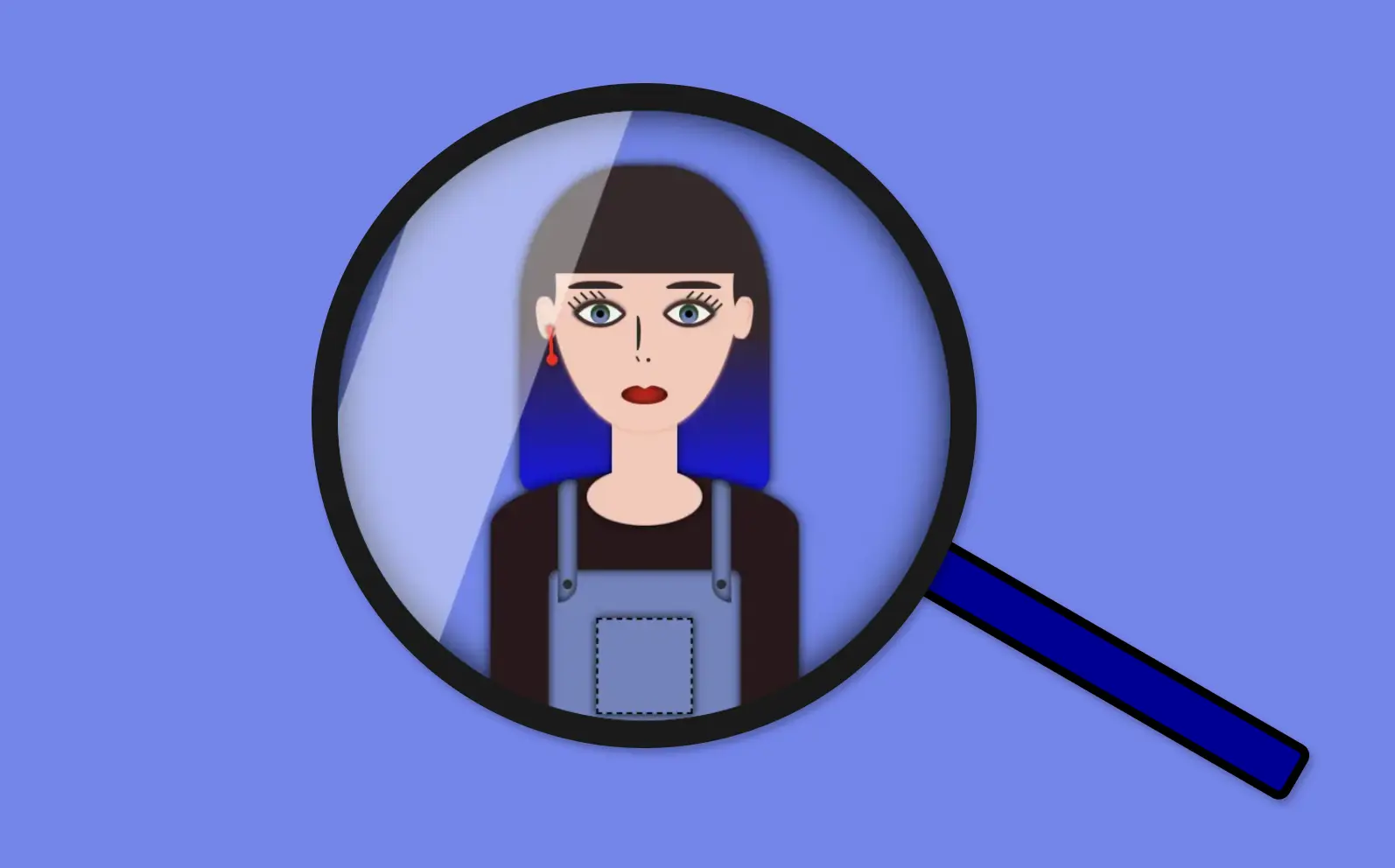
    Welcome to this post! Today, I will share with you how to create a fascinating CSS shine effect animation. To make it more interesting and attractive, I have already prepared an avatar (using only HTML and CSS) and added the animation to it. If you’re curious about how I made the avatar, you can find the complete avatar code at the end of this post. Please feel free to enclose it in your animation if you wish. Remember, the most important thing is to have fun and let your creativity shine. 😉 ✨

    For the moment, let’s focus on making this astonishing animation!

    HTML structure

    To begin, we need to create the base for our project by adding the HTML structure. We’ll start by creating our avatar-container , which will serve for our manipulations. I will carefully guide you through the following steps to achieve the desired results. Once we have a good structure in place, we can build upon it our CSS shine effect.

    <div class="avatar-container">
     ... Here goes my avatar
    </div> <!-- end of avatar-container -->
    HTML

    CSS basic structure

    Moving forward, let’s focus on organizing our project’s visual appeal by adding the CSS structure. Our first step will be to center the avatar-container on the screen, therefore, we can take advantage of the display: flex property of the body element. This will help us align it along the horizontal and vertical axes, creating a perfectly centered layout. With this basic structure in place, we can then proceed to add styles and create everything we have in mind. 😊

    $body-color: #6e87ef;
    
    * {
      margin: 0;
      padding: 0;
      box-sizing: border-box;
    }
    
    html,
    body {
      height: 100%;
    }
    
    body {
      width: 100%;
      display: flex;
      align-items: center;
      justify-content: center;
      background: $body-color;
    }
    SCSS

    CSS avatar container

    In order to place the avatar inside the container, it is essential to set it position: relative. Then we can place the components we want to include for our avatar, just by adding position: absolute to them.

    .avatar-container {
      position: relative;
      min-width: 320px;
      height: 320px;
      background-color: transparent;
      box-shadow: inset 0 0 20px;
      border-radius: 50%;
    } /* end of avatar-container */
    SCSS

    CSS Shine Effect

    All the necessary preparations have been completed. Let’s now move forward and make the shine 🥳 effect.

    Create the shine

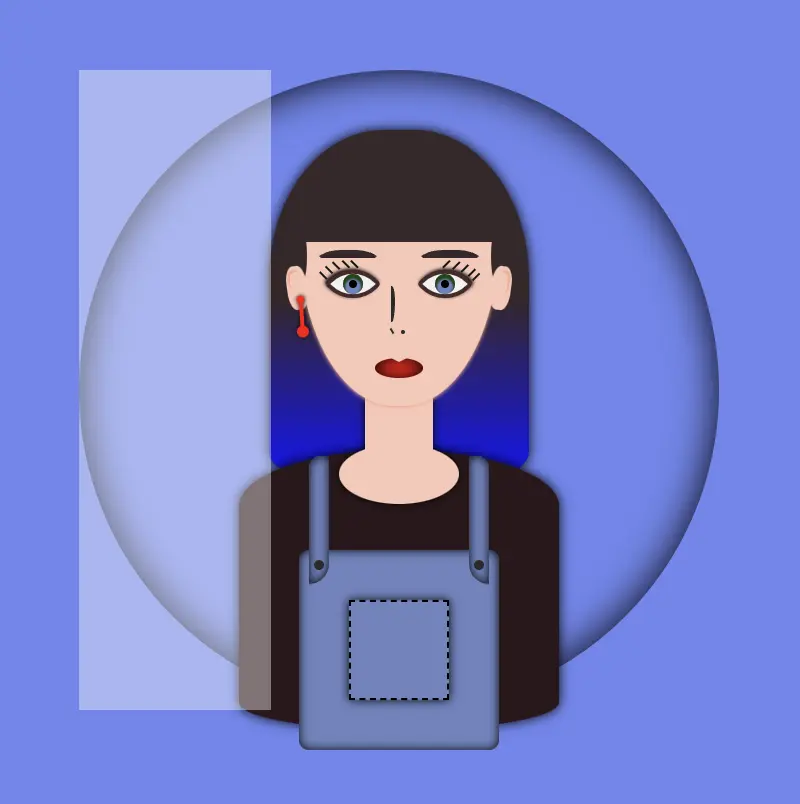
    • Firstly, we use :before pseudo-element which allows styling specific parts of an element without adding extra content to HTML. It behaves as a child of the chosen CSS element. In our case, avatar-container takes extra data only by using :before CSS property.
    • Next, we set width: 30% and height: 100% as this is a proper space in our example.
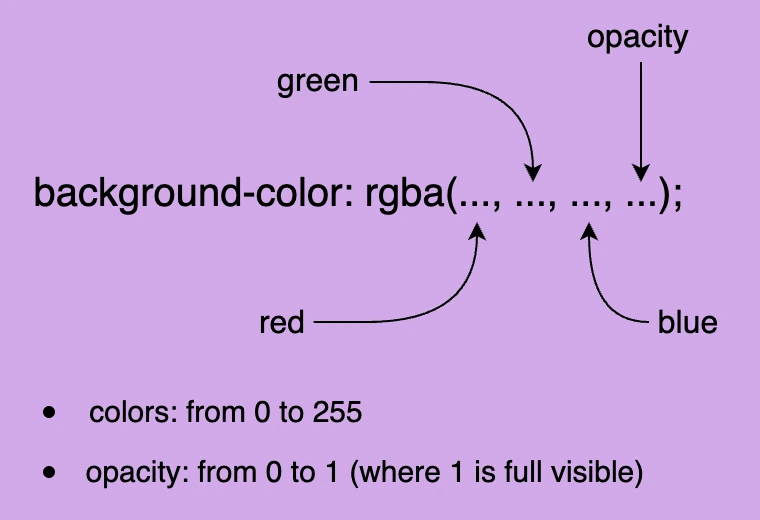
    • We also set background-color: rgba(255, 255, 255, 0.4) as it is the most suitable for the CSS shine effect.
    • We continue with z-index which overlaps the stack order of an HTML element. In simple words, it manages which HTML element should appear on top of others. The higher the stack order, the higher the element will be placed at the top of the stacking order. A really useful CSS property that is responsible for layering. To achieve the desired effect over my avatar, I have specified a z-index: 4 as my avatar has multiple layers. Without multiple layers applied to it (in simple words without the avatar), z-index CSS property is not necessary. It’s good practice when we use z-index to count close numbers. We can set positive and negative integer values.
    .avatar-container {
        position: relative;
        width: 320px;
        height: 320px;
        background-color: transparent;
        box-shadow: inset 0 0 20px;
        border-radius: 50%;
        overflow: hidden;
        &:before {
          position: absolute;
          content: "";
          width: 30%;
          height: 100%;
          background-color: rgba(255, 255, 255, 0.4);
          transform: skewX(-20deg);
          left: -120px;
          z-index: 3;
        } /* end of before */
      } /* end of avatar-container */
    SCSS

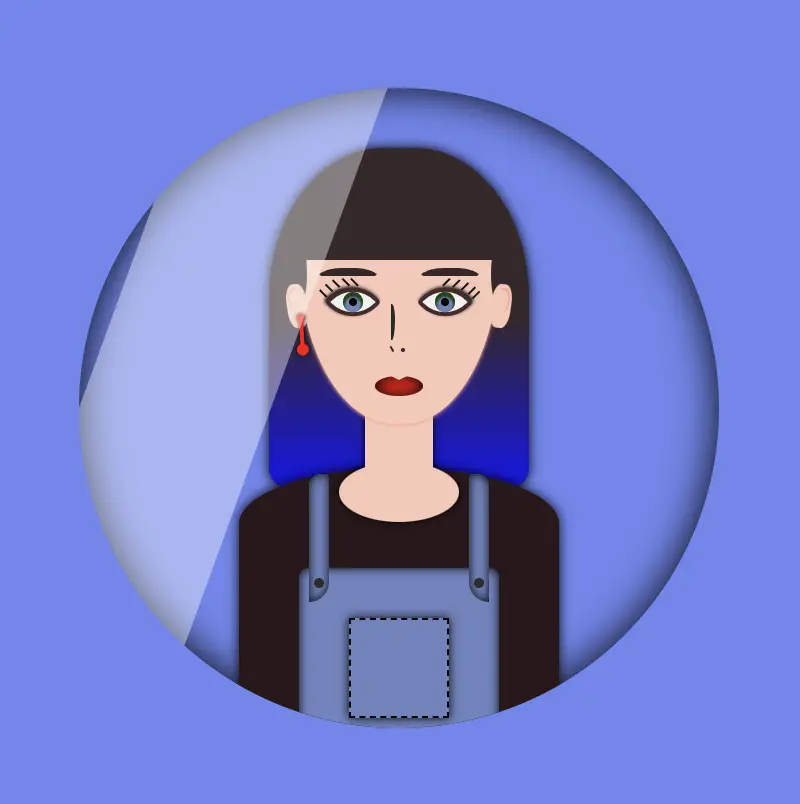
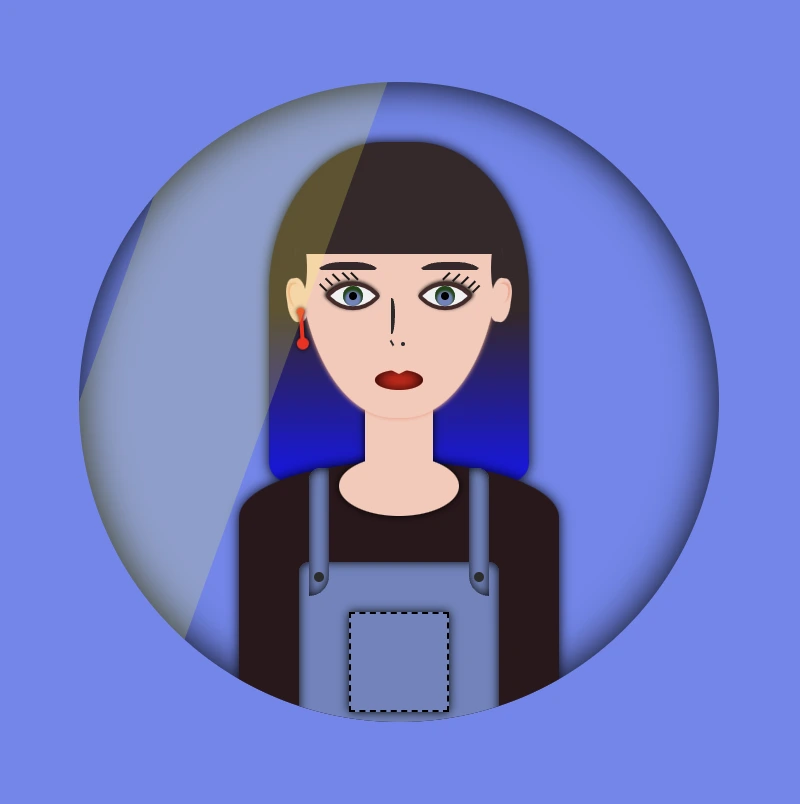
    The image below displays a preview of the code mentioned above.

    Transform the CSS shine effect

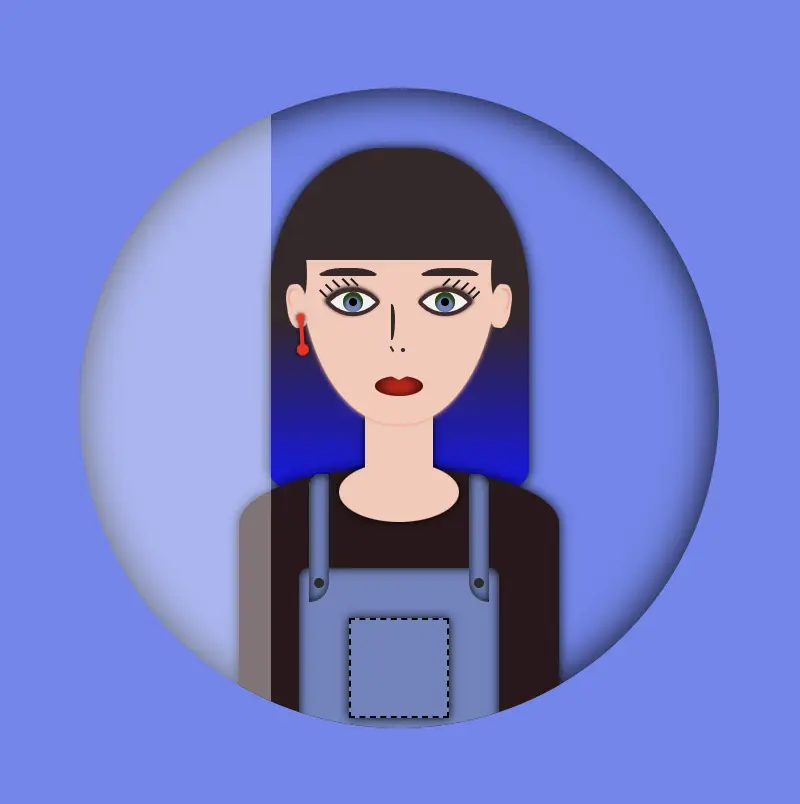
    • Afterward is necessary to add overflow: hidden to avatar-container, as we want to hide the content that flows over our container’s bounds.
    • We continue with transform: skew as a way to add inclination to our shine.
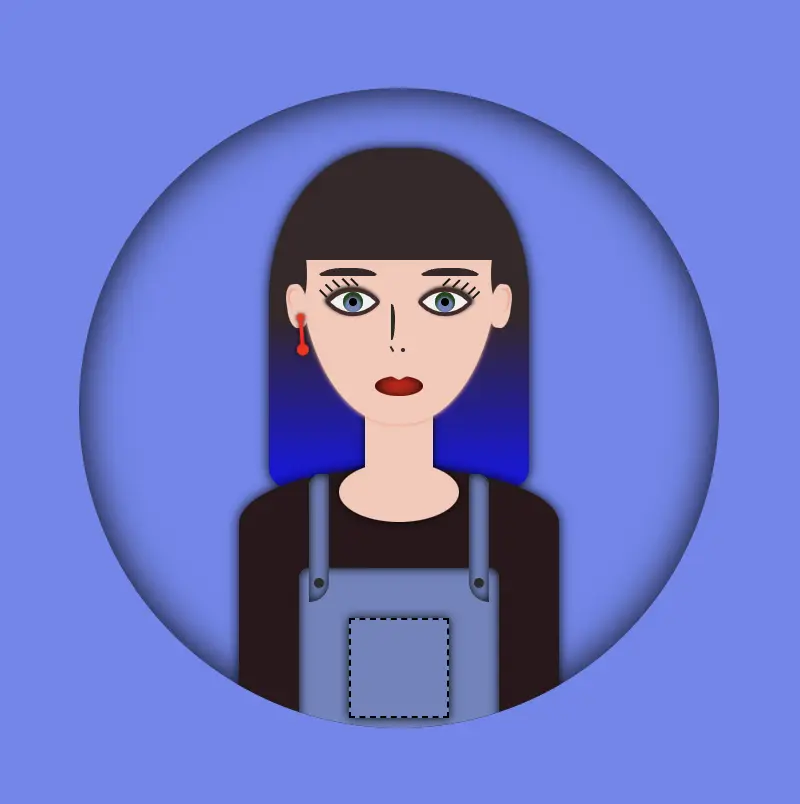
    • Finally left: -120px keeps our effect in the appropriate place, -120px left out of the avatar-container , in order to be invisible. As we previously used, overflow: hidden anything outside of the avatar-container is not visible, that’s why in this pick, below, we can’t see our effect. It’s still there though! 😄

    HINT

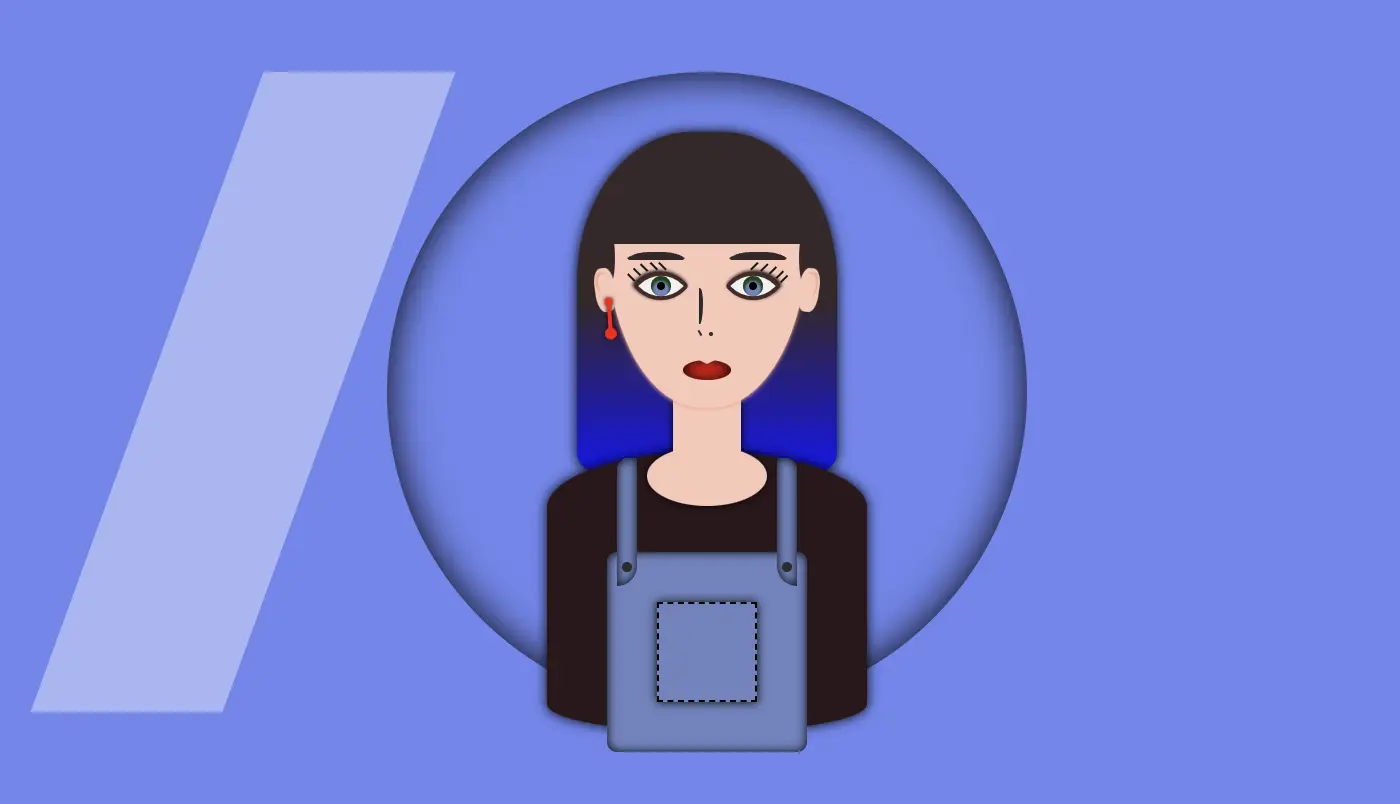
    💡 Well, maybe at this point it might be a good idea to temporarily disable the CSS property overflow: hidden and observe the current position of the effect. By doing so, one can see if the effect is working as intended and make any necessary adjustments. The effect is now positioned -120 pixels to the left, as this is the starting point from where the effect will begin to move.

    Create an animation for the CSS shine effect

    • To finalize my work, firstly, I’m adding the animation CSS property animation: <animation-name> <animation-duration> <animation-iteration-count> which is responsible for the way our animation behaves.
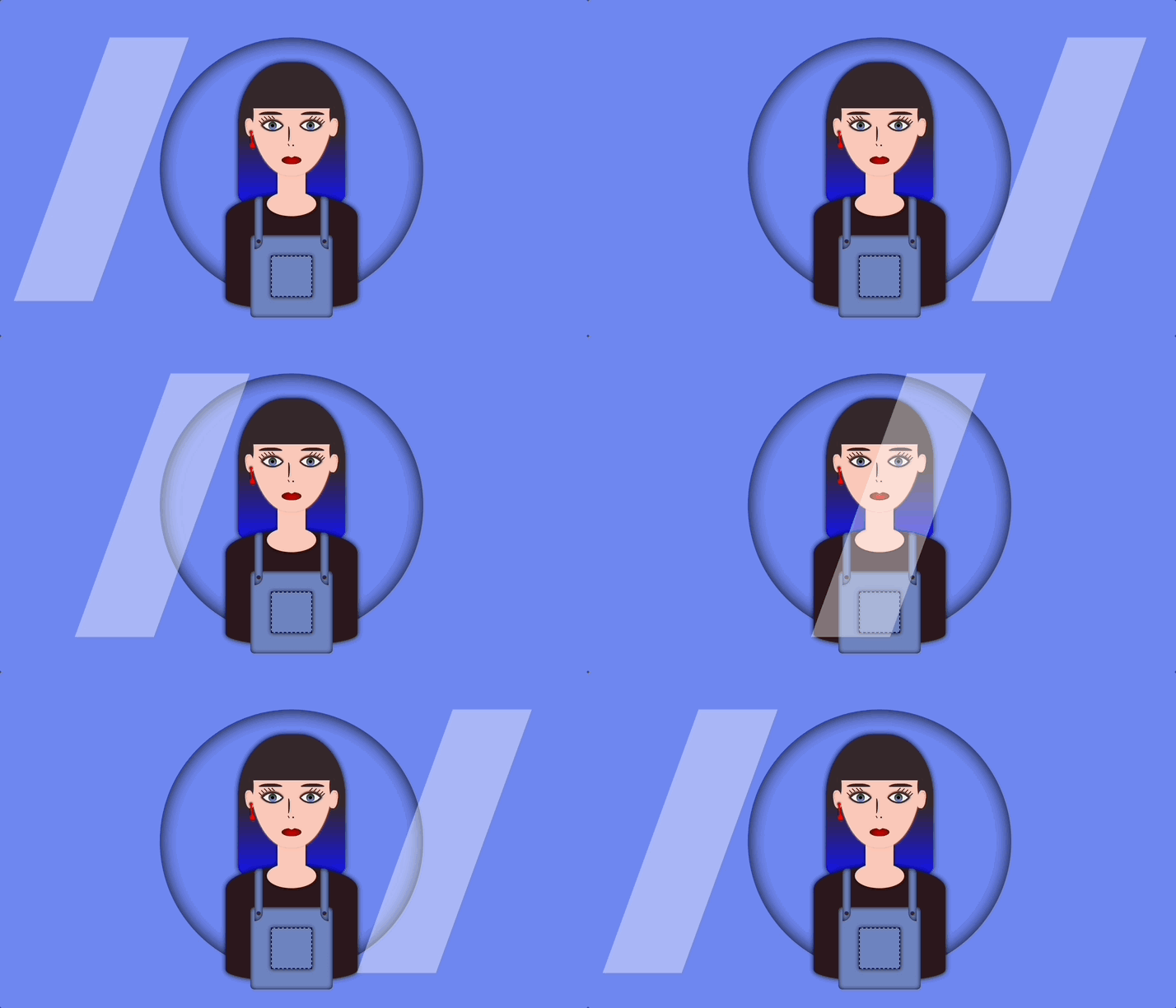
    • Secondly, I add CSS @keyframes which is used to control the style of the animation at different points in time. In this post, we want our shine to move rightwards, starting from -120px left to 350px left and then turning back to -120px left again.
    • By combining these 2 properties we end up having the desired animation result, that is, moving our shine every 5 seconds, forever (infinite), from -120px to 350px and back.

    🚫 It is required to connect these two properties. We do so by giving a name to the @keyframes and putting the same name on the animation property. In our case, this name is “shine”.

    .avatar-container {
      ...
      &:before {
        ...
        animation: shine 5s infinite;
      } /* end of before */
    } /* end of avatar-container */
      
      
    /* My animation */
    @keyframes shine {
      0% {
        left: -120px;
      }
      50% {
        left: 350px;
      }
      0% {
        left: -120px;
      }
    }
    SCSS

    💡 If you want to see the whole move of the CSS shine effect you can once again disable the CSS property overflow: hidden to avatar-container and observe the effect. Isn’t it great? 😄

    🔖 Please be informed that you have the flexibility to modify the background-color: rgba(..., ..., ..., ...) CSS property at any point to adjust both the color and opacity of your shine effect. In this context, I have chosen to generate a grey shine, as this shade is widely recognized and utilized.

    Below, I add some examples with different shades. You are free to try them, or you can experiment and create some from scratch! 🛠

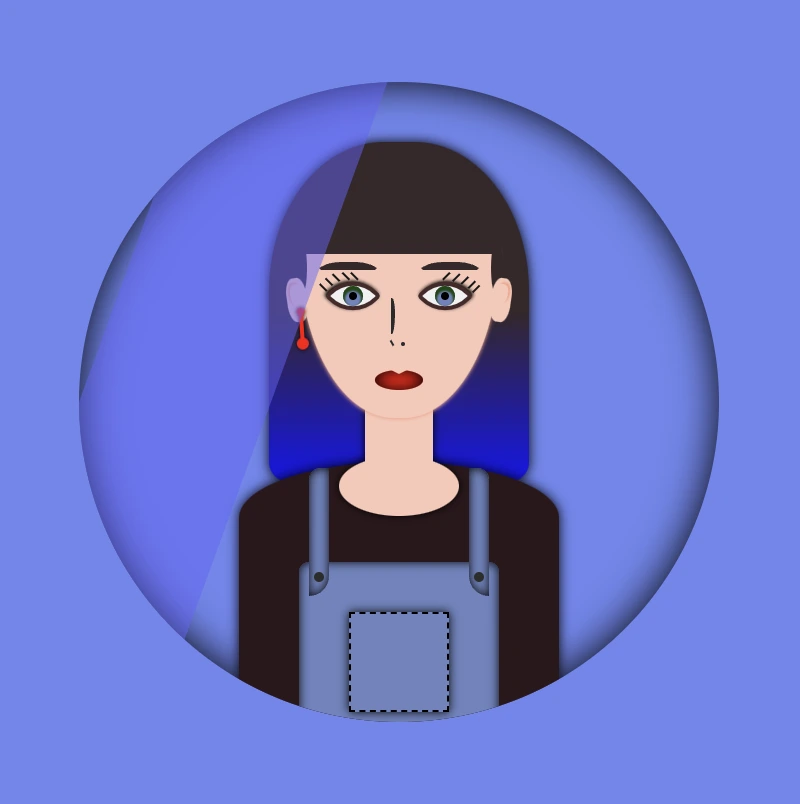
    Yellow shade -> background-color:rgba(255, 255, 0, 0.2)

    🧨 Blue shade -> background-color:rgba(100, 100, 250, 0.5) always remember to make contrasts. Avoid using the same color for backgrounds and shades.

    You can also try to change both the container’s and shades’ background-color.

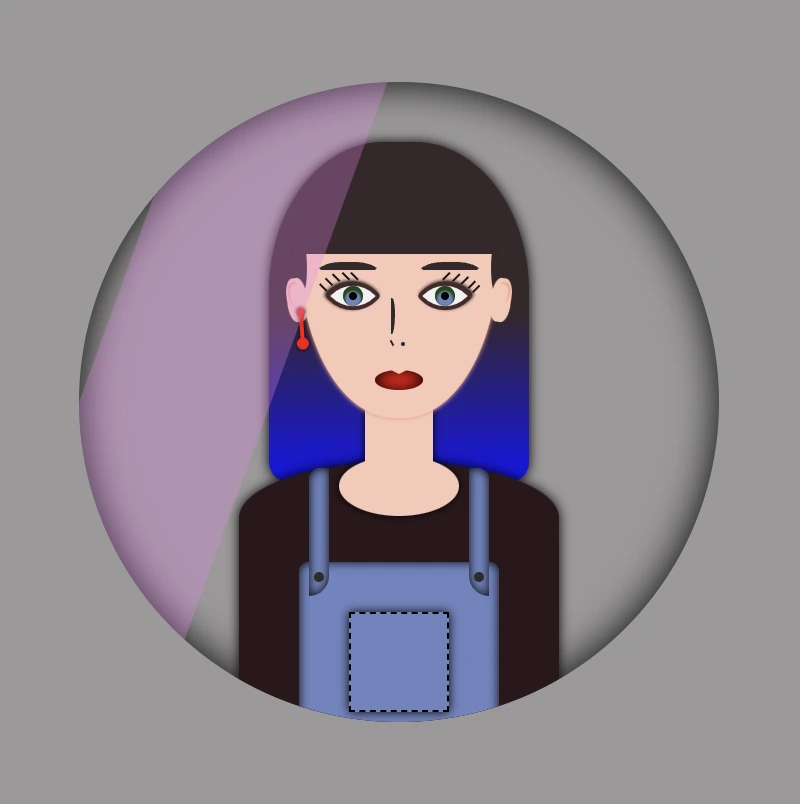
    Pink shade -> background-color:rgba(238, 130, 238, 0.3)

    Container’s color -> background-color: #c4c0c0 (grey)

    Complete avatar code

    Below, I include my HTML and CSS avatar code.

    <div class="avatar-container">
      <div class="hair-long"></div>
      <div class="face">
        <div class="ear ear--left">
          <div class="earing earing--left"></div>
        </div>
        <div class="ear ear--right"></div>
        <div class="hair-front"></div>
        <div class="eyebrow eyebrow--left"></div>
        <div class="eyebrow eyebrow--right"></div>
        <div class="eye eye--left">
          <div class="eyelash eyelash--left"></div>
          <div class="eyelash eyelash--left1"></div>
          <div class="eyelash eyelash--left2"></div>
          <div class="eyelash eyelash--left3"></div>
          <div class="eyelash eyelash--left4"></div>
        </div> <!-- end of left eye -->
        <div class="eye eye--right">
          <div class="eyelash eyelash--right"></div>
          <div class="eyelash eyelash--right1"></div>
          <div class="eyelash eyelash--right2"></div>
          <div class="eyelash eyelash--right3"></div>
          <div class="eyelash eyelash--right4"></div>
        </div> <!-- end of right eye -->
        <div class="nose"></div>
        <div class="lips"></div>
      </div> <!-- end of face -->
      <div class="body-avatar">
        <div class="neck"></div>
        <div class="t-shirt"></div>
        <div class="dungarees">
          <div class="pocket"></div>
          <div class="strap strap--left">
            <div class="button button--left"></div>
          </div>
          <div class="strap strap--right">
            <div class="button button--right"></div>
          </div>
        </div> <!-- end of dungarees -->
      </div> <!-- end of body -->
    </div> <!-- end of avatar-container -->
    HTML
    Expand
    $body-color: #6e87ef;
    $skin-color: #fac8b9;
    $hair-color: #36272a;
    $hair-ombre-color: linear-gradient(#36272a 50%, #1616ee);
    $eyebrow-color: #36272a;
    $eye-color: #6d84c0;
    $eye-base-color: #f1f1f1;
    $eyeline-color: #472a2a;
    $eyelash-color: #171616;
    $iris-color: #000;
    $earing-color: red;
    $nose-color: #2b2a2a;
    $lips-color: #f50000;
    $t-shirt-color: #2c171b;
    $dungarees-color: #6d84c0;
    $strap-color: #6d84c0;
    $button-color: #2d2c2c;
    
    
    * {
      margin: 0;
      padding: 0;
      box-sizing: border-box;
    }
    
    html,
    body {
      height: 100vh;
    }
    
    body {
      width: 100%;
      display: flex;
      align-items: center;
      justify-content: center;
      background: $body-color;
    }
    
    .avatar-container {
      position: relative;
      min-width: 320px;
      height: 320px;
      background-color: transparent;
      box-shadow: inset 0 0 20px;
      border-radius: 50%;
      overflow: hidden;
    
      .hair-long {
        position: absolute;
        width: 130px;
        height: 170px;
        border-radius: 44% 44% 10px 10px;
        top: 30px;
        left: 50%;
        transform: translate(-50%);
        background: $hair-ombre-color;
        filter: drop-shadow(0 0 3px);
      }
    
      .face {
        position: absolute;
        width: 100px;
        height: 110px;
        border-radius: 100% / 50% 50% 160% 160%;
        background-color: $skin-color;
        top: 58px;
        left: 50%;
        transform: translate(-50%);
        z-index: 2;
        box-shadow: 0 0.5px 2px darken($skin-color, 10%);
        .ear {
          position: absolute;
          width: 10px;
          height: 22px;
          background-color: $skin-color;
          border-radius: 40%;
          top: 40px;
          z-index: 3;
          &--left {
            left: -6px;
            transform: rotate(-8deg);
            &:before {
              content: "";
              position: absolute;
              width: 6px;
              height: 12px;
              background-color: $skin-color;
              border-radius: 40% 40% 50% 50%;
              box-shadow: -1px -1px 1px darken($skin-color, 10%);
              top: 3px;
              left: 2px;
            }
          }
          &--right {
            right: -6px;
            transform: rotate(8deg);
            &:before {
              content: "";
              position: absolute;
              width: 6px;
              height: 10px;
              background-color: $skin-color;
              border-radius: 40% 40% 50% 50%;
              box-shadow: 1px -1px 1px darken($skin-color, 10%);
              top: 3px;
              right: 2px;
            }
          }
          .earing {
            position: absolute;
            width: 4px;
            height: 4px;
            background-color: $earing-color;
            filter: drop-shadow(0 0 1px);
            border-radius: 50%;
            transform: rotate(4deg);
            &:before {
              content: "";
              position: absolute;
              width: 2px;
              height: 16px;
              background-color: $earing-color;
            }
            &:after {
              content: "";
              position: absolute;
              width: 6px;
              height: 6px;
              background-color: $earing-color;
              border-radius: 50%;
            }
            &--left {
              top: 15px;
              left: 4px;
              &:before {
                top: 3px;
                right: 1px;
              }
              &:after {
                top: 15px;
                left: -1px;
              } 
            }
          } // end of earing
        } // end of ear
        .hair-front {
          position: absolute;
          width: 104px;
          height: 30px;
          top: -2px;
          left: -2px;
          border-radius: 5px;
          background-color: $hair-color;
          &:before {
            content: "";
            position: absolute;
            width: 28px;
            height: 6px;
            background-color: $hair-color;
            border-radius: 50%;
            top: 34px;
            left: -11px;
            transform: rotate(-90deg);
          }
          &:after {
            content: "";
            position: absolute;
            width: 28px;
            height: 6px;
            background-color: $hair-color;
            border-radius: 50%;
            top: 34px;
            right: -11px;
            transform: rotate(-90deg);
          }
        }  // end of hair-front
    
        .eye {
          position: absolute;
          width: 20px;
          height: 20px;
          top: 39px;
          background-color: $eye-base-color;
          border: 2px solid $eyeline-color;
          border-radius: 85% 10%;
          transform: rotate(45deg);
          &:before {
            content: "";
            position: absolute;
            width: 10px;
            height: 10px;
            top: 50%;
            left: 50%;
            transform: translate(-50%, -50%);
            background-color: $eye-color;
            border-radius: 50%;
            box-shadow: inset 1px 1px 1px 1px #17460d;
          }
          &--left {
            left: 17px;
            box-shadow: -1px 0 2px darken($eyeline-color, 50%);
          }
          &--right {
            right: 17px;
            box-shadow: 0 -1px 2px darken($eyeline-color, 50%);
          }
          &:after {
            content: "";
            position: absolute;
            width: 4px;
            height: 4px;
            top: 50%;
            left: 50%;
            transform: translate(-50%, -50%);
            background-color: $iris-color;
            border-radius: 50%;
          }
          .eyelash {
            position: absolute;
            width: 1px;
            height: 5px;
            background-color: $eyelash-color;
            &--left,
            &--left1,
            &--left2,
            &--left3,
            &--left4 {
              transform: rotate(90deg);
            }
            &--left {
              top: -2px;
              left: 1px
            }
            &--left1 {
              top: 1px;
              left: -2px
            }
            &--left2 {
              top: 5px;
              left: -5px
            }
            &--left3 {
              top: 9px;
              left: -6px
            }
            &--left4 {
              top: 13px;
              left: -6px
            }
            &--right {
              top: -2px;
              right: 14px;
            }
            &--right1 {
              top: -5px;
              right: 10px;
            }
            &--right2 {
              top: -7px;
              right: 6px;
            }
            &--right3 {
              top: -8px;
              right: 2px;
            }
            &--right4 {
              top: -8px;
              right: -1px;
            }
          }  // end of eyelash
        }  // end of eye
    
        .eyebrow {
          position: absolute;
          width: 35px;
          height: 7px;  
          border: solid 4px $hair-color;
          border-color: $hair-color transparent transparent transparent;
          border-radius: 50%/10px 10px 0 0;
          top: 32px;
          &--left {
            left: 7px;
          }
          &--right {
            right: 7px;
          }
        } // end of eyebrows
    
        .nose {
          position: absolute;
          width: 2px;
          height: 18px;
          border: 2px solid $nose-color;
          border-left: 0px;
          border-top-right-radius: 80% 40%;
          border-bottom-right-radius: 80% 60%;
          top: 50px;
          left: 46px;
          &:before {
            position: absolute;
            content: "";
            width: 1px;
            height: 3px;
            background-color: $nose-color;
            top: 19px;
            transform: rotate(-30deg);
          }
          &:after {
            position: absolute;
            content: "";
            width: 2px;
            height: 2px;
            border-radius: 50%;
            background-color: $nose-color;
            top: 20px;
            left: 5px;
          }
        } // end of nose
    
        .lips {
          position: absolute;
          width: 24px;
          height: 10px;
          border-radius: 50%;
          background-color: $lips-color;
          top: 86px;
          left: 50%;
          transform: translate(-50%);
          box-shadow: inset 0 0 7px;
          &:after {
            content: "";
            position: absolute;
            width: 0;
            height: 0;
            border-left: 6px solid transparent;
            border-right: 6px solid transparent;
            border-top: 3px solid $skin-color;
            border-radius: 60%;
            top: -1px;
            left: 6px;
          }
        } // end of lips
      } // end of face
    
      .body-avatar {
        .neck {
          position: absolute;
          width: 34px;
          height: 50px;
          background-color: $skin-color;
          filter: drop-shadow(0 0 2px);
          top: 152px;
          left: 50%;
          transform: translate(-50%);
          z-index: 1;
          &:before {
            content: "";
            position: absolute;
            width: 60px;
            height: 30px;
            background-color: $skin-color;
            border-radius: 50%;
            top: 35px;
            left: 50%;
            transform: translate(-50%);
          }
        }
    
        .t-shirt {
          position: absolute;
          width: 160px;
          height: 140px;
          background-color: $t-shirt-color;
          border-radius: 100% / 40% 40% 20% 20%;
          top: 190px;
          left: 50%;
          transform: translate(-50%);
          filter: drop-shadow(0 0 3px);
        } // end of t-shirt
    
        .dungarees {
          position: absolute;
          width: 100px;
          height: 100px;
          background-color: $dungarees-color;
          border-radius: 5%;
          box-shadow: inset 0 0 5px;
          top: 240px;
          left: 50%;
          transform: translate(-50%);
          .pocket {
            position: absolute;
            width: 50px;
            height: 50px;
            background-color: $dungarees-color;
            border: 1px dashed black;
            box-shadow: 0 0 5px;
            top: 25px;
            left: 50%;
            transform: translate(-50%);
          }
          .strap {
            position: absolute;
            width: 10px;
            height: 64px;
            background-color: $strap-color;
            box-shadow: inset 0 0 5px;
            top: -47px;
            .button {
              position: absolute;
              width: 5px;
              height: 5px;
              background-color: $button-color;
              border-radius: 50%;
              top: 52px;
              &--left {
                left: 50%;
                transform: translate(-50%);
              }
              &--right {
                left: 50%;
                transform: translate(-50%);
              }
            } // end of button
            &--left {
              left: 5px;
              border-radius: 6px 0 10px 0;
            }
            &--right {
              right: 5px;
              border-radius: 0 6px 0 10px;
            }
          } // end of strap
        } // end of dungarees
      } // end of body-avatar
    } // end of avatar-container
    SCSS
    Expand
  • How To Effectively Use CSS Transform Scale On Hover

    How To Effectively Use CSS Transform Scale On Hover

    Hey there! Today, I’m gonna teach you how to use CSS transform scale on hover by using the transform: scale property. I’ve already created an avatar in order to make our animation more understandable and fun! 😄 If you’re curious about how I made the avatar, you will find the complete avatar code at the end of my post. You are encouraged to incorporate it into your animation as well 😉 The choice is yours!

    Meanwhile, let’s just dive 🤿 into creating these amazing scale animations!

    Meanwhile, let’s just dive into creating these amazing scale animations!

    HTML structure

    In order to create the scale transformations, first of all, it is necessary to make a container, which I named scale-content. This is the ‘place’ where we will do our CSS manipulations. After that, we move forward with a second container, the avatar-container. I named it that way as I intend to position the avatar inside it. As a matter of choice, 😊 you are able to add the avatar, too. Otherwise, you can continue only with the box. Once we prepare those two containers we are ready to move on.

    <div class="scale-content">
      <div class="avatar-container">
        ... Here goes my avatar
      </div> <!-- end of avatar-container -->
    </div> <!-- end of scale-content -->
    HTML

    CSS basic styling

    Next, we do the appropriate settings in order to center our container to the body, using the display: flex CSS property. We have also added the colors, setting body-color and container-color.

    $body-color: #8e7d9e;
    $container-color: #0f0b0f;
    
    * {
      margin: 0;
      padding: 0;
      box-sizing: border-box;
    }
    
    html,
    body {
      height: 100%;
    }
    
    body {
      min-width: 500px;
      display: flex;
      align-items: center;
      justify-content: center;
      background-color: $body-color;
    }
    SCSS

    CSS containers structure

    We begin with position: relative CSS property to the parent container and position: absolute to the child container in order to achieve the desired positioning of elements. Next, we specify the width and height of both containers according to our desired dimensions. We also use the CSS properties we want in order to create our avatar-container with the willing characteristics.

    .scale-content {
      position: relative;
      width: 320px;
      height: 320px;
      .avatar-container {
        position: absolute;
        width: 100%;
        height: 100%;
        background-color: $container-color;
        border: 2px solid black;
        box-shadow: 0 0 10px;
        border-radius: 50%;
        overflow: hidden;
      } /* end of avatar-container */

    } /* end of scale-content */
    SCSS

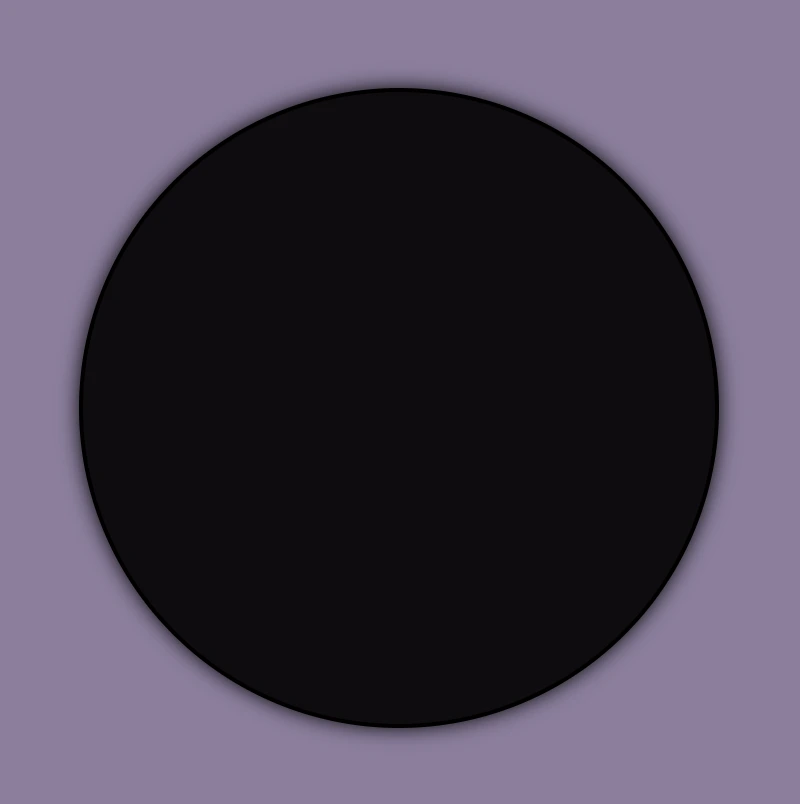
    Great! Now, take a break and look at the container we made using our earlier code. Feel free to go with it, or you may come up with your own! 😊

    CSS scale transformation structure

    Our containers are ready!! We can continue by doing our manipulations and creating scale transformations.

    We apply the transition: transform CSS property to the parent element, which enables us to achieve smooth changes in property values within a specified duration. As you can see below, I set 4s, and as a result, our transition lasts 4 seconds.

    Next, we set the CSS transform: scale(X, Y) property on the child element in order to resize, increase, or decrease the size of an element in the axes. We have the capability to simultaneously resize both axes with the same or different values or selectively resize either the X-axis or the Y-axis.

    💡 Below there are some examples of scale transformations as a way to understand it better 😃

    transform: scale(X, Y) with the same value on both axes

    • Resizes (increases) with the same value, the size of an element in both axes.
    .scale-content {
      ...
      transition: transform 4s;
      &:hover {
        cursor: pointer;
        transform: scale(1.2);
      }
      .avatar-container {
        ...
      } /* end of avatar-container */

    }  /* end of scale-content */
    CSS
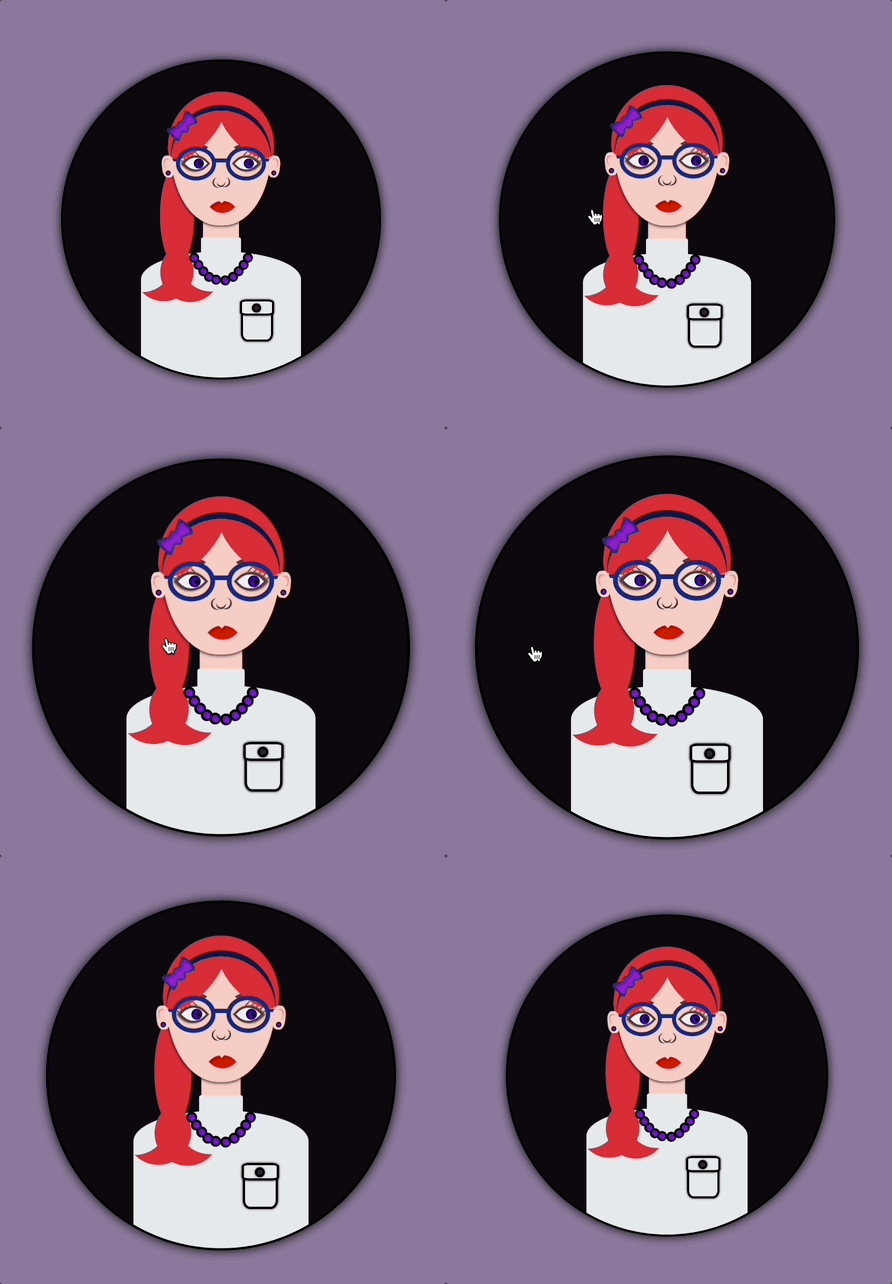


    CSS scale transform:This image shows a scale transformation effect on hover which increase, with the same value, the size of the avatar-container in both axes.
    • Resizes (decreases) with the same value, the size of an element in both axes.
    .scale-content {
      ...
      transition: transform 4s;
      &:hover {
        cursor: pointer;
        transform: scale(0.5);
      }
      .avatar-container {
        ...
      } /* end of avatar-container */
    } /* end of scale-content */
    CSS

    transform: scale(X, Y) with different values on both axes

    • Resizes (increase the width and decrease the height), with different values, the size of an element in both axes.
    .scale-content {
      ...
      transition: transform 4s;
      &:hover {
        cursor: pointer;
        transform: scale(1.4, 0.4);
      }
      .avatar-container {
        ...
      } /* end of avatar-container */
    } /* end of scale-content */
    CSS
    • Resizes (decrease the width and increase the height), with different values, the size of an element in both axes.
    .scale-content {
      ...
      transition: transform 4s;
      &:hover {
        cursor: pointer;
        transform: scale(0.4, 1.4);
      }
      .avatar-container {
        ...
      } /* end of avatar-container */
    } /* end of scale-content */
    CSS

    transform: scale(X) increase or decrease width

    • Resizes (increases) the width of an element (X-axis).
    .scale-content {
      ...
      transition: transform 4s;
      &:hover {
        cursor: pointer;
        transform: scaleX(2);
      }
      .avatar-container {
        ...
      } /* end of avatar-container */
    } /* end of scale-content */
    CSS
    • Resizes (decreases) the width of an element (X-axis).
    .scale-content {
      ...
      transition: transform 4s;
      &:hover {
        cursor: pointer;
        transform: scaleX(0.2);
      }
      .avatar-container {
        ...
      } /* end of avatar-container */
    } /* end of scale-content */
    CSS

    transform: scale(Y) increase or decrease height

    • Resizes (increases) the height of an element (Y-axis).
    .scale-content {
      ...
      transition: transform 4s;
      &:hover {
        cursor: pointer;
        transform: scaleY(2);
      }
      .avatar-container {
        ...
      } /* end of avatar-container */
    } /* end of scale-content */
    CSS
    • Resizes (decreases) the height of an element (Y-axis).
    .scale-content {
      ...
      transition: transform 4s;
      &:hover {
        cursor: pointer;
        transform: scaleY(0.5);
      }
      .avatar-container {
        ...
      } /* end of avatar-container */
    } /* end of scale-content */
    CSS

    Complete avatar code

    Below, I include my HTML and CSS avatar code.

    <section class="avatar-container">
      <div class="hair-back"></div>
      <div class="face">
        <div class="ear ear-left">
          <div class="earing earing-left"></div>
        </div>
        <div class="ear ear-right">
          <div class="earing earing-right"></div>
        </div>
        <div class="eyebrow eyebrown-left"></div>
        <div class="eyebrow eyebrown-right"></div>
        <div class="hair-front"></div>
        <div class="hair-long"></div>
        <div class="hairband">
          <div class="bow-big"></div>
          <div class="bow-small"></div>
        </div>
        <div class="eye eye-left">
          <div class="eyelash eyelash--left"></div>
          <div class="eyelash eyelash--left1"></div>
          <div class="eyelash eyelash--left2"></div>
          <div class="eyelash eyelash--left3"></div>
          <div class="eyelash eyelash--left4"></div>
        </div>
        <div class="eye eye-right">
          <div class="eyelash eyelash--right"></div>
          <div class="eyelash eyelash--right1"></div>
          <div class="eyelash eyelash--right2"></div>
          <div class="eyelash eyelash--right3"></div>
          <div class="eyelash eyelash--right4"></div>
        </div>
        <div class="eye-glasses eye-glasses-left"></div>
        <div class="eye-glasses eye-glasses-right"></div>
        <div class="nose"></div>
        <div class="lips"></div>
      </div>
      <div class="avatar-body">
        <div class="neck"></div>
        <div class="t-shirt">
          <div class="pocket"></div>
        </div>
        <div class="neckless">
          <div class="perl perl--perl1"></div>
          <div class="perl perl--perl2"></div>
          <div class="perl perl--perl3"></div>
          <div class="perl perl--perl4"></div>
          <div class="perl perl--perl5"></div>
          <div class="perl perl--perl6"></div>
          <div class="perl perl--perl7"></div>
          <div class="perl perl--perl8"></div>
          <div class="perl perl--perl9"></div>
          <div class="perl perl--perl10"></div>
        </div>
      </div>
    </section>
    HTML
    Expand
    $body-color: #8e7d9e;
    $container-color: #0f0b0f;
    $skin-color: #fbd0c3;
    $hair-color: #ec3535;
    $eyebrow-color: #5b3a3a;
    $hairband-color: #091845;
    $bow-big-color: #2d2b78;
    $bow-small-color: #9914d2;
    $eye-base-color: #f1f1f1;
    $eyeline-color: #5b3a3a;
    $eyelash-color: #6d4646;
    $iris-color: #000;
    $eye-glasses-color: #0d2b85;
    $nose-color: #383737;
    $lips-color: #e41202;
    $t-shirt-color: #e6e9ee;
    $button-color: #2d2a2a;
    $perl-color: #8314d2;
    
    * {
      margin: 0;
      padding: 0;
      box-sizing: border-box;
    }
    
    html,
    body {
      height: 100%;
    }
    
    body {
      display: flex;
      align-items: center;
      justify-content: center;
      background-color: $body-color;
    }
    
    .avatar-container {
      position: relative;
      width: 320px;
      height: 320px;
      background-color: $container-color;
      border: 2px solid black;
      box-shadow: 0 0 10px;
      border-radius: 50%;
      overflow: hidden;
      .hair-back {
        position: absolute;
        width: 106px;
        height: 110px;
        border-radius: 50%;
        top: 30px;
        left: 50%;
        transform: translate(-50%);
        background-color: $hair-color;
          &:before {
          content: "";
          position: absolute;
          width: 34px;
          height: 100px;
          border-radius: 60%;
          background-color: $hair-color;
          top: 74px;
          left: -8px;
        }
    } // end of hair-back
      
      .face {
        position: absolute;
        width: 100px;
        height: 110px;
        border-radius: 100% / 70% 70% 140% 140%;
        background-color: $skin-color;
        top: 54px;
        left: 50%;
        transform: translate(-50%);
        box-shadow: 0 0.5px 3px;
        z-index: 2;
        .ear {
        position: absolute;
        width: 12px;
        height: 22px;
        background-color: $skin-color;
        border-radius: 40%;
        top: 40px;
        z-index: 6;
        &.ear-left {
          left: -9px;
          transform: rotate(-6deg);
           &:before {
            content: "";
            position: absolute;
            width: 7px;
            height: 10px;
            background-color: $skin-color;
            border-radius: 40%;
            box-shadow: inset 1px 1px 1px darken($skin-color, 15%);
            top: 3px;
            left: 2px;
          }
        }
        &.ear-right {
          right: -9px;
          transform: rotate(6deg);
          &:before {
            content: "";
            position: absolute;
            width: 7px;
            height: 10px;
            background-color: $skin-color;
            border-radius: 40%;
            box-shadow: inset -1px 1px 1px darken($skin-color, 15%);
            top: 3px;
            right: 2px;
          }
        }
        .earing {
          position: absolute;
          width: 5px;
          height: 5px;
          background-color: $perl-color;
          border: 1px solid black;
          border-radius: 50%;
          z-index: 7;
          top: 15px;
          &.earing-left {
            left: 3px;
          }
          &.earing-right {
            right: 3px;
          }
        } // end of earings
      } // end of ears
        .eyebrow {
          position: absolute;
          width: 34px;
          height: 10px;  
          border: solid 3px $eyebrow-color;
          border-color: $eyebrow-color transparent transparent transparent;
          top: 28px;
          z-index: 3;
          &.eyebrown-left {
            left: 7px;
            border-radius: 50%/5px 10px 0 0;
          }
          &.eyebrown-right {
            right: 7px;
            border-radius: 50%/10px 5px 0 0;
          }
    } // end of eyebrows
        
        .hair-front {
        position: absolute;
        z-index: 10;
        width: 80px;
        height: 36px;
        border-radius:50%;
        top: -7px;
        left: -14px;
        background-color: $hair-color;
        transform: rotate(-50deg);
        z-index: 4;
        &:before {
          content: "";
          position: absolute;
          z-index: 10;
          width: 70px;
          height: 30px;
          border-radius:50%;
          top: 44px;
          right: -23px;
          background-color: $hair-color;
          transform: rotate(-85deg);
        }
    }  // end of hair-front
        
        .hair-long {
          position: absolute;
          width: 60px;
          height: 60px;
          border-radius: 60%;
          box-shadow: 20px 12px 0 0 $hair-color;
          z-index: -1;
          top: 116px;
          left: 10px;
          transform: rotate(122deg);
          &:before {
            content: "";
            position: absolute;
            width: 60px;
            height: 60px;
            border-radius: 60%;
            box-shadow: 20px 12px 0 0 $hair-color;
            z-index: 100;
            top: 58px;
            left: 37px;
            transform: rotate(230deg);
          }
    }  // end of hair-long
    
        .hairband {
          position: absolute;
          width: 100px;
          height: 100px;
          border-radius: 60%;
          box-shadow: 4px 4px 0 0 $hairband-color;
          z-index: 10;
          top: -5px;
          transform: rotate(225deg);
          .bow-big {
            position: absolute;
            width: 10px;
            height: 14px;
            background-color: $bow-big-color;
            border-radius: 50%;
            transform: rotate(90deg);
            top: 40px;
            left: 96px;
            z-index: 10;
            &:before {
              content: "";
              position: absolute;
              width: 0;
              height: 0;
              border-top: 10px solid transparent;
              border-left: 20px solid $bow-big-color;
              border-bottom: 10px solid transparent;
              border-radius: 30%;
              top: -4px;
              left: -10px;
            }
            &:after {
              content: "";
              position: absolute;
              width: 0;
              height: 0;
              border-top: 10px solid transparent;
              border-right: 20px solid $bow-big-color;
              border-bottom: 10px solid transparent;
              border-radius: 30%;
              top: -4px;
              right: -10px;
            }
          }
          .bow-small {
            position: absolute;
            width: 6px;
            height: 10px;
            background-color: $bow-small-color;
            border-radius: 50%;
            transform: rotate(90deg);
            top: 42px;
            left: 98px;
            z-index: 10;
            &:before {
              content: "";
              position: absolute;
              width: 0;
              height: 0;
              border-top: 6px solid transparent;
              border-left: 16px solid $bow-small-color;
              border-bottom: 6px solid transparent;
              border-radius: 30%;
              top: -2px;
              left: -10px;
            }
            &:after {
              content: "";
              position: absolute;
              width: 0;
              height: 0;
              border-top: 6px solid transparent;
              border-right: 16px solid $bow-small-color;
              border-bottom: 6px solid transparent;
              border-radius: 30%;
              top: -2px;
              right: -10px;
            }
          }
    } // end of hairband
        
        .eye {
          position: absolute;
          width: 20px;
          height: 20px;
          top: 38px;
          background-color: $eye-base-color;
          border: 2px solid $eyeline-color;
          border-radius: 75% 0%;
          transform: rotate(45deg);
          &:before {
            content: "";
            position: absolute;
            width: 10px;
            height: 10px;
            top: 50%;
            left: 50%;
            transform: translate(-30%, -70%);
            background: radial-gradient(circle, purple, blue);
            box-shadow: inset 0 0 3px;
            border-radius: 50%;
          }
          &.eye-left {
            left: 15px;
            box-shadow: -1px 1px 2px darken($eyeline-color, 10%);
          }
          &.eye-right {
            right: 15px;
            box-shadow: 1px -1px 2px darken($eyeline-color, 10%);
          }
          &:after {
            content: "";
            position: absolute;
            width: 4px;
            height: 4px;
            top: 50%;
            left: 50%;
            transform: translate(20%, -120%);
            background-color: $iris-color;
            border-radius: 50%;
          }
          .eyelash {
            position: absolute;
            width: 1px;
            height: 5px;
            background-color: $eyelash-color;
            &--left,
            &--left1,
            &--left2,
            &--left3,
            &--left4 {
              transform: rotate(90deg);
            }
            &--left {
             top: -2px;
             left: 2px;
            }
            &--left1 {
             top: 2px;
             left: -2px;
            }
            &--left2 {
             top: 6px;
             left: -4px;
            }
            &--left3 {
             top: 10px;
             left: -5px;
            }
            &--left4 {
             top: 14px;
             left: -5px;
            }
            &--right {
              top: -1px;
              right: 15px;
            }
            &--right1 {
              top: -4px;
              right: 11px;
            }
            &--right2 {
              top: -7px;
              right: 7px;
            }
            &--right3 {
              top: -8px;
              right: 3px;
            }
            &--right4 {
              top: -8px;
              right: -1px;
            }
          }
    } // end of eye
    
        .eye-glasses {
          position: absolute;
          width: 40px;
          height: 34px;
          border: 4px solid $eye-glasses-color;
          top: 31px;
          z-index: 5;
          border-radius: 50%;
          &.eye-glasses-left {
            left: 5px;
            &:before {
              content: "";
              position: absolute;
              width: 14px;
              height: 4px;
              background-color: $eye-glasses-color;
              top: 8px;
              left: 35px;
            }
            &:after {
              content: "";
              position: absolute;
              width: 9px;
              height: 3px;
              background-color: $eye-glasses-color;
              top: 8px;
              left: -9px;
            }
          }
          &.eye-glasses-right {
            right: 5px;
            &:after {
              content: "";
              position: absolute;
              width: 9px;
              height: 3px;
              background-color: $eye-glasses-color;
              top: 8px;
              right: -10px;
            }
          }
        } // end of eyeglasses
    
        .nose {
          position: absolute;
          width: 8px;
          height: 8px;
          border-radius: 50%;
          box-shadow: 1px 1px 0 0 $nose-color;
          top: 62px;
          left: 46px;
          transform: rotate(45deg);
            &:before {
            content: "";
            position: absolute;
            width: 10px;
            height: 10px;
            border-radius: 60%;
            box-shadow: 1px 1px 0 0 $nose-color;
            top: 1px;
            left: -2px;
            transform: rotate(75deg);
          }
          &:after {
            content: "";
            position: absolute;
            width: 10px;
            height: 10px;
            border-radius: 50%;
            box-shadow: 1px 1px 0 0 $nose-color;
            top: -3px;
            right: -3px;
            transform: rotate(-65deg);
          }
    } // end of nose
    
        .lips {
          position: absolute;
          width: 18px;
          height: 18px;
          border-radius: 90% 0;
          background-color: darken($lips-color, 1%);
          top: 90px;
          left: 50%;
          transform: rotate(45deg) translate(-60%);
          &:before {
            content: "";
            position: absolute;
            width: 0;
            height: 0;
            border-left: 3px solid transparent;
            border-right: 3px solid transparent;
            border-top: 3px solid $skin-color;
            border-radius: 60%;
            transform: rotate(-45deg);
            top: 24%;
            left: 12%;
          }
    } // end of lips
      } // end of face
      
      .avatar-body {
        .neck {
          position: absolute;
          width: 36px;
          height: 50px;
          background-color: $skin-color;
          top: 150px;
          left: 50%;
          transform: translate(-50%);
          z-index: 1;
          &:before {
            content: "";
            position: absolute;
            width: 40px;
            height: 34px;
            border-radius: 2px 2px 50% 50%;
            background-color: $t-shirt-color;
            top: 26px;
            left: -2px;
          }
        } // end of neck
        .t-shirt {
          position: absolute;
          width: 160px;
          height: 140px;
          background-color: $t-shirt-color;
          border-radius: 100% / 40% 40% 20% 20%;
          top: 190px;
          left: 50%;
          transform: translate(-50%);
          .pocket {
            position: absolute;
            width: 32px;
            height: 40px;
            background-color: $t-shirt-color;
            box-shadow: 0 0 2px;
            border: 2px solid black;
            border-radius: 20%;
            top: 50px;
            left: 100px;
            &:before {
              content: "";
              position: absolute;
              width: 30px;
              height: 12px;
              background-color: $t-shirt-color;
              box-shadow: 0 0 2px;
              border: 2px solid black;
              border-radius: 20%;
              top: -4px;
              left: -3px;
            }
            &:after {
              content: "";
              position: absolute;
              width: 5px;
              height: 5px;
              background-color: $button-color;
              box-shadow: 0 0 2px;
              border: 2px solid black;
              border-radius: 50%;
              top: 0px;
              left: 9px;
            }
          } // end of pocket
        } // end of t-shirt
        .neckless {
          position: absolute;
          width: 50px;
          height: 50px;
          border-radius: 50%;
          box-shadow: 2px 2px 0 transparent;
          top: 167px;
          left: 50%;
          transform: translate(-50%) rotate(45deg);
          z-index: 10;
          .perl {
            position: absolute;
            width: 10px;
            height: 10px;
            border-radius: 50%;
            border: 2px solid black;
            background-color: $perl-color;
            &--perl1 {
              top: 4px;
              left: 42px;
            }
            &--perl2 {
              top: 42px;
              left: 4px;
            }
            &--perl3 {
              top: 12px;
              left: 44px;
            }
            &--perl4 {
              top: 44px;
              left: 12px;
            }
            &--perl5 {
              top: 20px;
              left: 45px;
            }
            &--perl6 {
              top: 45px;
              left: 20px;
            }
            &--perl7 {
              top: 28px;
              left: 45px;
            }
            &--perl8 {
              top: 45px;
              left: 28px;
            }
            &--perl9 {
              top: 36px;
              left: 42px;
            }
            &--perl10 {
              top: 42px;
              left: 35px;
            }
          } // end of perl
        } // end of neckless
      } // end of body
    } // end of avatar-container
    SCSS
    Expand





    This image shows our avatar.