Tag: scale

  • Static VS Dynamic Design With CSS – From Stillness to Action

    Static VS Dynamic Design With CSS – From Stillness to Action

    CSS in motion! Another perfect title for this post, as CSS is no longer just a language to style static pages, but also to elevate them with animations. CSS entered a new era and has grown into a clever tool that brings digital interfaces to life through movement. It began to shine, showing its full potential and ultimately becoming part of the experience, not just the look.

    CSS properties for movement

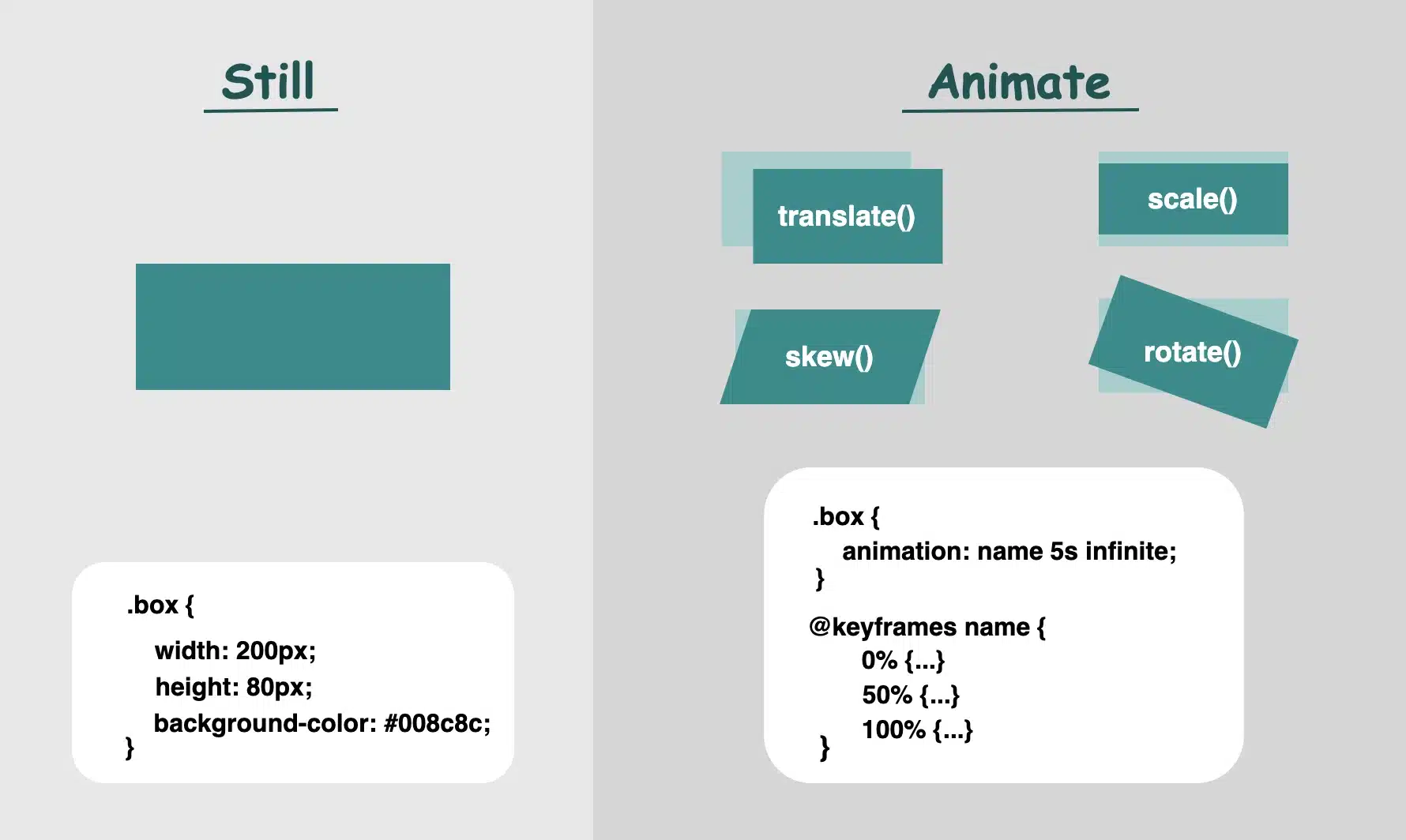
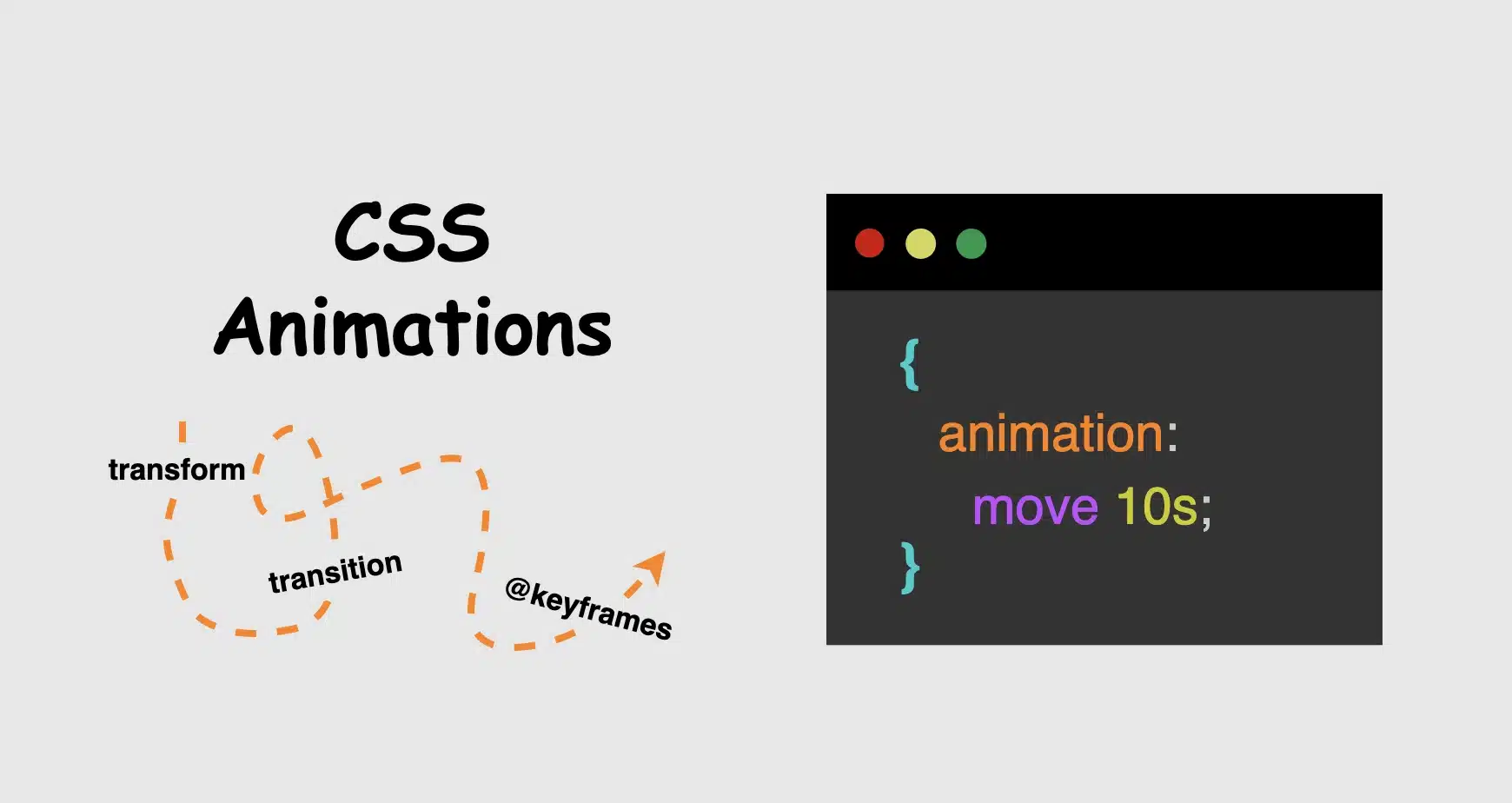
    Now, time to focus on where CSS credits its upgrade. Utilizing the following properties: transformtransitionanimation and @keyframes, elements can scaleslidefadespin and move through time all without a single line of JavaScript. Today, we’ll focus on understanding how these properties create such amazing visual feedback. We’ll take a step back from the code and examine these features from a more theoretical perspective: what they mean, how they influence behavior, and why they play such a crucial role in modern design.
    So, let’s zoom in! 🧐

    Transform CSS property

    It applies 2D or 3D transformations 🛠 to an element. It can change the sizerotation, position, and shape.
    Values:

    • scale(): Resize elements – making them smaller or bigger depending on our preferences (use unitless numbers).
    • skew(): Slant elements (use deg, which stands for degrees).
    • translate(): Move elements (use length units like: %pxrem, etc.).
    • rotate(): Spin elements (use deg, like skew).

    📌 Depending on our needs and preferences, we are free to make combinations with the above values.

    • perspective(): Creates a 3D effect, giving the elements a sense of depth.
    • matrix(): Creates 2D transformations. It provides a streamlined approach for applying scaling, skewing, translation, and rotation through a unified matrix. (a mathematical representation – transform: matrix(a, b, c, d, e, f) – that combines the first three transformations into a single matrix. If you want to include rotation as well, you would replace a, b, c, and d with the appropriate cosine and sine values for the desired rotation angle, while keeping e and f for translation.)

    Transition CSS property

    It animates changes in property values over time ⏳ and smoothens the transition between two stages (e.g. on hover, focus)
    Values:

    • transition-property: What property will animate (e.g. transformopacity)
    • transition-duration: How much time does the transition take to complete (e.g. 0.4ss stands for seconds, we are free to use ms too, for milliseconds)
    • transition-timing-function: Define the speed curve (easelinearease-inease-outease-in-out)
    • transition-delay: The time you wait before an animation starts (s and ms, similar to animation-duration). Its default value is 0s, which means the transition will start instantly.
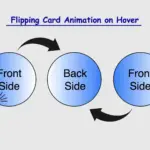
    Keyframes CSS property

    Define intermediate states of an animation 📽 series. Breaks the animation into episodes 🎬, like “first episode, look like this,” “second episode, change to this,” “third episode, change to that,” and “final episode, finish like that.” Each episode represents a point in the timeline where the property-value changes (opacity, rotation, color, etc.).
    Values:

    • From / To : Timeline positions
    • Percentages % : Timeline positions

    📌 Each one represents a property-value pair that defines the appearance at a specific moment
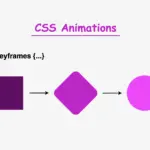
    Animation CSS property

    It runs 🎞 a full animation based on the @keyframes you have defined. Unlike the transition we mentioned above, which moves from one point to another, animations can have many points ⏱ and follow more complex timing rules.
    Values:

    • name: the identifier of the @keyframes rule
    • duration: for how long it moves
    • time-function: how the speed flows
      • ease: it gives a smooth motion, starts slow, continues faster, and ends slow again (which is the default value)
      • linear: it has the same speed all the way
      • ease-in: it starts slow, then it speeds up
      • ease-out: it starts fast, then it slows down (Suitable for hover effects 😎)
      • ease-in-out: starts slow, in the middle spreads up, then slows down again
    • delay: if the animations begin immediately or with a delay
      • a value of 0s (seconds) indicates it starts as soon as it’s applied (which is the default value)
      • positive value that it will start after a set amount of time (e.g. 2s, which means it will start 2 seconds later)
      • negative value that starts straightforward but acts like it has already begun (e.g. -2s the animation won’t wait — it’ll jump in as if it had already been playing for 2 seconds. This can be very helpful if you want animations to be already in motion when the page loads. 😎)
    • iteration-count: how many times to repeat (infinite12, ech)
    • direction: in which direction the animation moves
      • normal ➡ the animation moves forward (which is the default value)
      • reverse ⬅ the animation moves backward
      • alternate ➡ ⬅ first forward, then backward
      • alternate-reverse ➡ ⬅ ➡ first forward, then backward, then again forward
    • fill-mode: shows how the element should look like before the animation starts or after it ends. You have the option to freeze the first or last frame so it doesn’t snap back (➡ forwards, ⬅ backwards). The default value is none, which means it does not apply any styles to the elements.
    • play-state: control if the animation is running or paused, like play ▶ or pause ⏸ buttons (runningpaused)

    📌 For an animation to actually play, we need to utilize only the: animation-nameanimation-duration and the @keyframe. All the other CSS properties are optional.

    When creating content for the web, even the smallest detail can significantly alter how something appears. The experience of bringing elements to life is amazing! It doesn’t need to be dramatic or complex. A simple yet well-structured and strategically placed change at the right moment can make everything more connected, useful and realistic.

    🌼 Hope you found my post interesting and helpful.
    Thanks for being here! 🌼
  • How CSS Became So Powerful with Animations

    How CSS Became So Powerful with Animations

    Hi there! You’re aware that the web 🕸 wasn’t always like it is today? Websites were like digital 📰 posters – just text and images. A page loads, and no changes occur. Static design had the reins. No movement, no glow! 🤹‍♀️ ✨ Everything remained visually frozen. 🧊 🥶 CSS was only a tool to decorate that static content and make some improvements, such as selecting a font, changing colors, adding a border or a margin.

    As time went on, browsers improved, and users began to expect more. That’s when CSS started to shine and show the way from static pages to fluid experiences! With features like transition, transform, animation, and keyframes, the focus shifted from how things looked to how they can pulse and move in time. Dynamic design is finally here! CSS became a language capable of transforming static HTML elements into dynamic 🧨 ones.

    Motion matters. It allows users to feel when something changes and witness how elements react. It’s a way of communication, 🔊 not just decoration. With only CSS, designers can craft these interactions. Creating animations that ‘rotate‘, ‘skew‘, scale‘ or ‘shift‘ position suggests ongoing system activity. A sliding menu, like a ‘hamburger icon‘, reveals categories, indicating that navigation continues beyond the current view. A spinning icon, after a user clicks ‘Submit’ or ‘Save’ on a button, signals that a process is loading. A button that gently fades in and out on hover – labeled ‘Sign Up‘ – asks for interaction. A fading alert, such as ‘Connection lost‘ or ‘Download has failed, retrying‘, quietly suggests that the message is temporary. Even a ‘scale-up‘ focusing on an image can reveal that it is active. CSS became a must to represent progress and maintain users’ attention.

    Of course, as with everything, setting boundaries is essential. Many times action can cause confusion and make users feel distracted or, even worse, rushed. Not every interface needs to include movement. Sometimes, picking stillness is the best choice. Valuable designs recognise when to pause!

  • How To Make A CSS Text Reflection Effect

    How To Make A CSS Text Reflection Effect

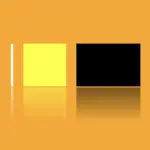
    Hi there! 😃 In this post, we’ll learn bit by bit how to create a CSS text reflection effect. When we say reflection, we’re referring to a mirror-like effect that looks like the text reflects on a surface, much like the way we see our reflection in a mirror.

    This is a simple yet amazing way to enhance the appearance of your text. Let’s analyze our effect so that you can easily follow along.

    HTML structure

    We will begin with our HTML structure. As you can see below, I prepared a div with the class .reflection-text , this is where our effect will take place.

    <div class="reflection-text">HELLO WORLD</div>
    CSS

    CSS foundation

    Let’s move forward with the CSS basic structure. We start with defining the background. It’s worth noting that using radial-gradient can make our effect more impressive. 😃

    body {
      background: radial-gradient(lightgreen, darkgreen);
      height: 100vh;
    }
    CSS

    Below, we can see the background we just created.

    In web development, we use the flex method in order to center our text. Then we will enhance its appearance, by making some adjustments. We will set the font-size to 100 pixels, select the “Roboto” font-family, and choose white as the text color.

    body {
      ...
      display: flex;
      align-items: center;
      justify-content: center;
    }
    
    .reflection-text {
      font-size: 100px;
      font-family: 'Roboto', sans-serif;
      color: white;
    }
    CSS

    This is what is rendered on the screen for now. A perfectly centered, 🎯 white text.

    Adding the CSS structure for the reflection effect

    Creating a reflection can be achieved by using pseudoelements like :before and :after. To ensure this works properly, we need to include position: relative in our .reflection-text class.

    .reflection-text {
      ...
      position: relative;
    }
    CSS

    Now, we are ready to proceed and create our reflection by adding the :before pseudoelement with all the necessary properties, as shown in the following code snippet.

    .reflection-text:before {
      content: "HELLO WORLD";
      position: absolute;
      top: 65px;
      transform: rotate(180deg) scaleX(-1);
      background: linear-gradient(
        to bottom, 
        rgba(255, 255, 255, 0) 20%, 
        rgba(255, 255, 255, 0.5) 60%, 
        rgba(255, 255, 255, 2) 100%
      );
      background-clip: text;
      color: transparent;
      opacity: 0.3;
    }
    CSS

    Breaking down the process

    🟢 To begin, we add the text “HELLO WORLD” to create another text element with the same content. This new text will serve as our reflection. Then, we set position: absolute so that we can move our reflected text below the original text. We use the top property to move the reflected text 65 pixels from the top, but you can always move the reflection in any direction you prefer. It is important to position the text and its reflection closely together for a more realistic reflection effect. 😉

    🟢 We move forward and use the transform CSS property to rotate the text by 180 degrees

    and then flip it horizontally using scaleX(-1). Now we have the perfect reflection! Let’s continue and make it more realistic.

    🟢 In the next step, we will adjust the color of our reflected text. To achieve this, we will utilize the linear-gradient CSS property and specify the direction as downwards. This will create white gradients, with the top appearing more intense and gradually fading towards the bottom of the text.

    🟢 It is commonly known that gradients cannot be directly applied to texts. Don’t worry! 🤔 We already have the solution to this problem. For now, let’s give a quick explanation. To create a clipped linear background pattern for text, first, we add the -webkit-background-clip: text property, and at the same time, we set the color to transparent, and our text automatically turns to transparent. In that way, our text takes the background: linear-gradient as its real color.

    🟢 For a more transparent text, we can adjust the opacity. The lower the opacity, the more transparent our text becomes. So, here we are! Our reflection is ready! 🥳

    Exploring different colors

    🔖 It is always an option to use black or any other color in our work. Below, I’ve included examples of texts with black, purple, and green colors. It’s important to remember that the key factor is to set the correct gradients at the linear-gradient property. That way, we can create respective shades. Therefore, please give extra attention to that! 😊

    Black text

    .reflection-text {
      position: relative;
      font-size: 100px;
      font-family: 'Roboto', sans-serif;
      color: black; /* default color */
    }
    CSS
    .reflection-text:before {
      content: "HELLO WORLD";
      position: absolute;
      top: 65px;
      transform: rotate(180deg) scaleX(-1);
      background: linear-gradient(to bottom, 
      rgba(0, 0, 0, 0) 20%, 
      rgba(0, 0, 0, 0.5) 60%, 
      rgba(0, 0, 0, 2) 100%);
      background-clip: text;
      color: transparent;
      opacity: 0.3;
    }
    CSS

    Purple Text

    .reflection-text {
      position: relative;
      font-size: 100px;
      font-family: 'Roboto', sans-serif;
      color: purple;
    }
    CSS
    .reflection-text:before {
      content: "HELLO WORLD";
      position: absolute;
      top: 65px;
      transform: rotate(180deg) scaleX(-1);
      background: linear-gradient(to bottom, 
      rgba(255, 55, 205, 0) 20%, 
      rgba(255, 55, 205, 0.5) 60%, 
      rgba(255, 55, 205, 2) 100%);
      background-clip: text;
      color: transparent;
      opacity: 0.3;
    }
    CSS

    Green Text

    .reflection-text {
      position: relative;
      font-size: 100px;
      font-family: 'Roboto', sans-serif;
      color: green;
    }
    CSS
    .reflection-text2:before {
      content:"HELLO WORLD";
      position: absolute;
      top: 65px;
      transform: rotate(180deg) scaleX(-1);
      background: linear-gradient(to bottom, 
      rgba(20, 150, 20, 0) 20%, 
      rgba(20, 150, 20) 60%, 
      rgba(20, 150, 20, 2) 100%);
      background-clip: text;
      color: transparent;
      opacity: 0.3;
    }
    CSS
  • How To Effectively Use CSS Transform Scale On Hover

    How To Effectively Use CSS Transform Scale On Hover

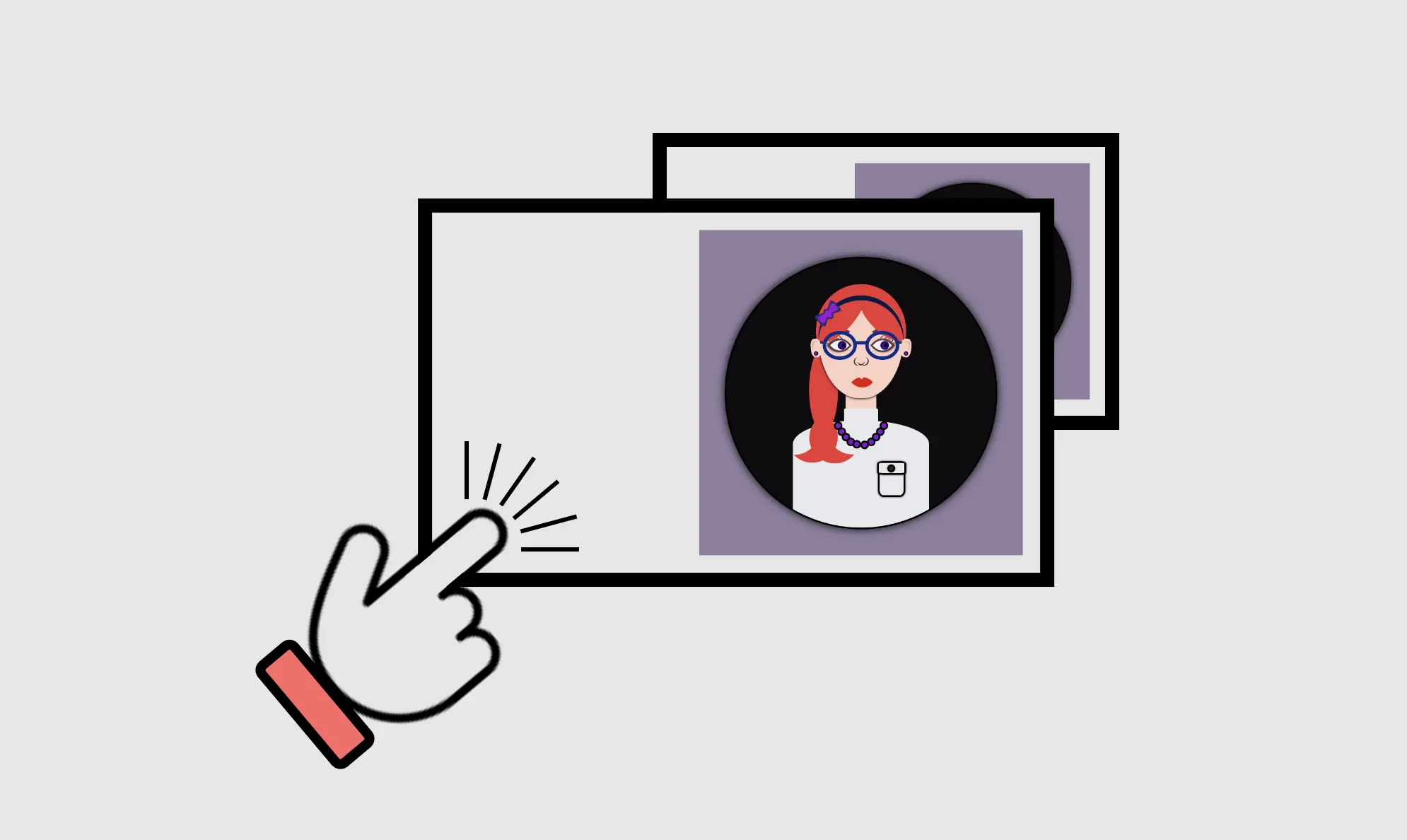
    Hey there! Today, I’m gonna teach you how to use CSS transform scale on hover by using the transform: scale property. I’ve already created an avatar in order to make our animation more understandable and fun! 😄 If you’re curious about how I made the avatar, you will find the complete avatar code at the end of my post. You are encouraged to incorporate it into your animation as well 😉 The choice is yours!

    Meanwhile, let’s just dive 🤿 into creating these amazing scale animations!

    Meanwhile, let’s just dive into creating these amazing scale animations!

    HTML structure

    In order to create the scale transformations, first of all, it is necessary to make a container, which I named scale-content. This is the ‘place’ where we will do our CSS manipulations. After that, we move forward with a second container, the avatar-container. I named it that way as I intend to position the avatar inside it. As a matter of choice, 😊 you are able to add the avatar, too. Otherwise, you can continue only with the box. Once we prepare those two containers we are ready to move on.

    <div class="scale-content">
      <div class="avatar-container">
        ... Here goes my avatar
      </div> <!-- end of avatar-container -->
    </div> <!-- end of scale-content -->
    HTML

    CSS basic styling

    Next, we do the appropriate settings in order to center our container to the body, using the display: flex CSS property. We have also added the colors, setting body-color and container-color.

    $body-color: #8e7d9e;
    $container-color: #0f0b0f;
    
    * {
      margin: 0;
      padding: 0;
      box-sizing: border-box;
    }
    
    html,
    body {
      height: 100%;
    }
    
    body {
      min-width: 500px;
      display: flex;
      align-items: center;
      justify-content: center;
      background-color: $body-color;
    }
    SCSS

    CSS containers structure

    We begin with position: relative CSS property to the parent container and position: absolute to the child container in order to achieve the desired positioning of elements. Next, we specify the width and height of both containers according to our desired dimensions. We also use the CSS properties we want in order to create our avatar-container with the willing characteristics.

    .scale-content {
      position: relative;
      width: 320px;
      height: 320px;
      .avatar-container {
        position: absolute;
        width: 100%;
        height: 100%;
        background-color: $container-color;
        border: 2px solid black;
        box-shadow: 0 0 10px;
        border-radius: 50%;
        overflow: hidden;
      } /* end of avatar-container */
    } /* end of scale-content */
    SCSS

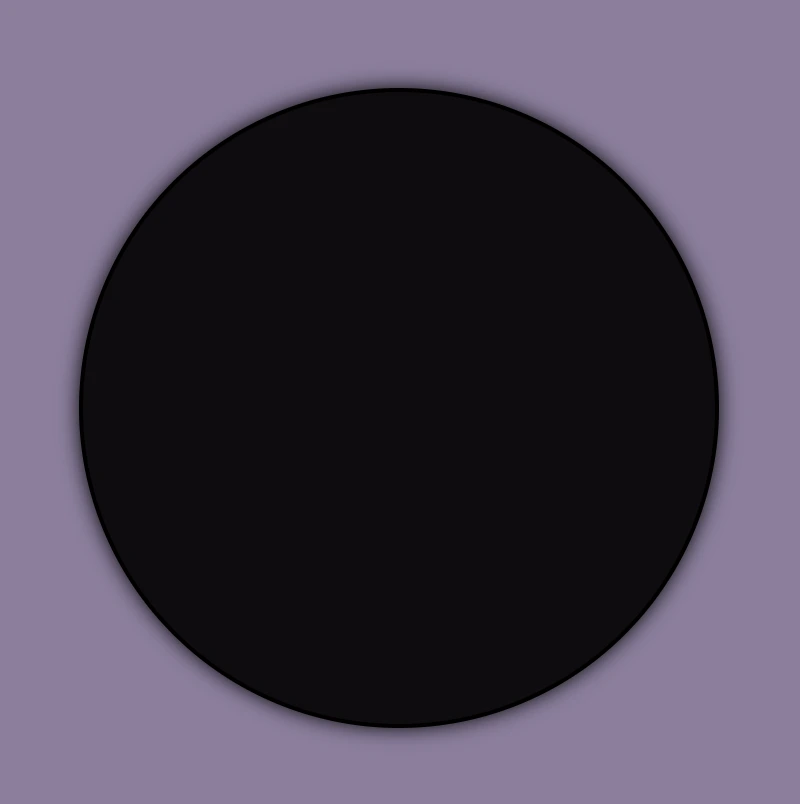
    Great! Now, take a break and look at the container we made using our earlier code. Feel free to go with it, or you may come up with your own! 😊

    CSS scale transformation structure

    Our containers are ready!! We can continue by doing our manipulations and creating scale transformations.

    We apply the transition: transform CSS property to the parent element, which enables us to achieve smooth changes in property values within a specified duration. As you can see below, I set 4s, and as a result, our transition lasts 4 seconds.

    Next, we set the CSS transform: scale(X, Y) property on the child element in order to resize, increase, or decrease the size of an element in the axes. We have the capability to simultaneously resize both axes with the same or different values or selectively resize either the X-axis or the Y-axis.

    💡 Below there are some examples of scale transformations as a way to understand it better 😃

    transform: scale(X, Y) with the same value on both axes

    • Resizes (increases) with the same value, the size of an element in both axes.
    .scale-content {
      ...
      transition: transform 4s;
      &:hover {
        cursor: pointer;
        transform: scale(1.2);
      }
      .avatar-container {
        ...
      } /* end of avatar-container */
    }  /* end of scale-content */
    CSS


    CSS scale transform:This image shows a scale transformation effect on hover which increase, with the same value, the size of the avatar-container in both axes.
    • Resizes (decreases) with the same value, the size of an element in both axes.
    .scale-content {
      ...
      transition: transform 4s;
      &:hover {
        cursor: pointer;
        transform: scale(0.5);
      }
      .avatar-container {
        ...
      } /* end of avatar-container */
    } /* end of scale-content */
    CSS

    transform: scale(X, Y) with different values on both axes

    • Resizes (increase the width and decrease the height), with different values, the size of an element in both axes.
    .scale-content {
      ...
      transition: transform 4s;
      &:hover {
        cursor: pointer;
        transform: scale(1.4, 0.4);
      }
      .avatar-container {
        ...
      } /* end of avatar-container */
    } /* end of scale-content */
    CSS
    • Resizes (decrease the width and increase the height), with different values, the size of an element in both axes.
    .scale-content {
      ...
      transition: transform 4s;
      &:hover {
        cursor: pointer;
        transform: scale(0.4, 1.4);
      }
      .avatar-container {
        ...
      } /* end of avatar-container */
    } /* end of scale-content */
    CSS

    transform: scale(X) increase or decrease width

    • Resizes (increases) the width of an element (X-axis).
    .scale-content {
      ...
      transition: transform 4s;
      &:hover {
        cursor: pointer;
        transform: scaleX(2);
      }
      .avatar-container {
        ...
      } /* end of avatar-container */
    } /* end of scale-content */
    CSS
    • Resizes (decreases) the width of an element (X-axis).
    .scale-content {
      ...
      transition: transform 4s;
      &:hover {
        cursor: pointer;
        transform: scaleX(0.2);
      }
      .avatar-container {
        ...
      } /* end of avatar-container */
    } /* end of scale-content */
    CSS

    transform: scale(Y) increase or decrease height

    • Resizes (increases) the height of an element (Y-axis).
    .scale-content {
      ...
      transition: transform 4s;
      &:hover {
        cursor: pointer;
        transform: scaleY(2);
      }
      .avatar-container {
        ...
      } /* end of avatar-container */
    } /* end of scale-content */
    CSS
    • Resizes (decreases) the height of an element (Y-axis).
    .scale-content {
      ...
      transition: transform 4s;
      &:hover {
        cursor: pointer;
        transform: scaleY(0.5);
      }
      .avatar-container {
        ...
      } /* end of avatar-container */
    } /* end of scale-content */
    CSS

    Complete avatar code

    Below, I include my HTML and CSS avatar code.

    <section class="avatar-container">
      <div class="hair-back"></div>
      <div class="face">
        <div class="ear ear-left">
          <div class="earing earing-left"></div>
        </div>
        <div class="ear ear-right">
          <div class="earing earing-right"></div>
        </div>
        <div class="eyebrow eyebrown-left"></div>
        <div class="eyebrow eyebrown-right"></div>
        <div class="hair-front"></div>
        <div class="hair-long"></div>
        <div class="hairband">
          <div class="bow-big"></div>
          <div class="bow-small"></div>
        </div>
        <div class="eye eye-left">
          <div class="eyelash eyelash--left"></div>
          <div class="eyelash eyelash--left1"></div>
          <div class="eyelash eyelash--left2"></div>
          <div class="eyelash eyelash--left3"></div>
          <div class="eyelash eyelash--left4"></div>
        </div>
        <div class="eye eye-right">
          <div class="eyelash eyelash--right"></div>
          <div class="eyelash eyelash--right1"></div>
          <div class="eyelash eyelash--right2"></div>
          <div class="eyelash eyelash--right3"></div>
          <div class="eyelash eyelash--right4"></div>
        </div>
        <div class="eye-glasses eye-glasses-left"></div>
        <div class="eye-glasses eye-glasses-right"></div>
        <div class="nose"></div>
        <div class="lips"></div>
      </div>
      <div class="avatar-body">
        <div class="neck"></div>
        <div class="t-shirt">
          <div class="pocket"></div>
        </div>
        <div class="neckless">
          <div class="perl perl--perl1"></div>
          <div class="perl perl--perl2"></div>
          <div class="perl perl--perl3"></div>
          <div class="perl perl--perl4"></div>
          <div class="perl perl--perl5"></div>
          <div class="perl perl--perl6"></div>
          <div class="perl perl--perl7"></div>
          <div class="perl perl--perl8"></div>
          <div class="perl perl--perl9"></div>
          <div class="perl perl--perl10"></div>
        </div>
      </div>
    </section>
    HTML
    Expand
    $body-color: #8e7d9e;
    $container-color: #0f0b0f;
    $skin-color: #fbd0c3;
    $hair-color: #ec3535;
    $eyebrow-color: #5b3a3a;
    $hairband-color: #091845;
    $bow-big-color: #2d2b78;
    $bow-small-color: #9914d2;
    $eye-base-color: #f1f1f1;
    $eyeline-color: #5b3a3a;
    $eyelash-color: #6d4646;
    $iris-color: #000;
    $eye-glasses-color: #0d2b85;
    $nose-color: #383737;
    $lips-color: #e41202;
    $t-shirt-color: #e6e9ee;
    $button-color: #2d2a2a;
    $perl-color: #8314d2;
    
    * {
      margin: 0;
      padding: 0;
      box-sizing: border-box;
    }
    
    html,
    body {
      height: 100%;
    }
    
    body {
      display: flex;
      align-items: center;
      justify-content: center;
      background-color: $body-color;
    }
    
    .avatar-container {
      position: relative;
      width: 320px;
      height: 320px;
      background-color: $container-color;
      border: 2px solid black;
      box-shadow: 0 0 10px;
      border-radius: 50%;
      overflow: hidden;
      .hair-back {
        position: absolute;
        width: 106px;
        height: 110px;
        border-radius: 50%;
        top: 30px;
        left: 50%;
        transform: translate(-50%);
        background-color: $hair-color;
          &:before {
          content: "";
          position: absolute;
          width: 34px;
          height: 100px;
          border-radius: 60%;
          background-color: $hair-color;
          top: 74px;
          left: -8px;
        }
    } // end of hair-back
      
      .face {
        position: absolute;
        width: 100px;
        height: 110px;
        border-radius: 100% / 70% 70% 140% 140%;
        background-color: $skin-color;
        top: 54px;
        left: 50%;
        transform: translate(-50%);
        box-shadow: 0 0.5px 3px;
        z-index: 2;
        .ear {
        position: absolute;
        width: 12px;
        height: 22px;
        background-color: $skin-color;
        border-radius: 40%;
        top: 40px;
        z-index: 6;
        &.ear-left {
          left: -9px;
          transform: rotate(-6deg);
           &:before {
            content: "";
            position: absolute;
            width: 7px;
            height: 10px;
            background-color: $skin-color;
            border-radius: 40%;
            box-shadow: inset 1px 1px 1px darken($skin-color, 15%);
            top: 3px;
            left: 2px;
          }
        }
        &.ear-right {
          right: -9px;
          transform: rotate(6deg);
          &:before {
            content: "";
            position: absolute;
            width: 7px;
            height: 10px;
            background-color: $skin-color;
            border-radius: 40%;
            box-shadow: inset -1px 1px 1px darken($skin-color, 15%);
            top: 3px;
            right: 2px;
          }
        }
        .earing {
          position: absolute;
          width: 5px;
          height: 5px;
          background-color: $perl-color;
          border: 1px solid black;
          border-radius: 50%;
          z-index: 7;
          top: 15px;
          &.earing-left {
            left: 3px;
          }
          &.earing-right {
            right: 3px;
          }
        } // end of earings
      } // end of ears
        .eyebrow {
          position: absolute;
          width: 34px;
          height: 10px;  
          border: solid 3px $eyebrow-color;
          border-color: $eyebrow-color transparent transparent transparent;
          top: 28px;
          z-index: 3;
          &.eyebrown-left {
            left: 7px;
            border-radius: 50%/5px 10px 0 0;
          }
          &.eyebrown-right {
            right: 7px;
            border-radius: 50%/10px 5px 0 0;
          }
    } // end of eyebrows
        
        .hair-front {
        position: absolute;
        z-index: 10;
        width: 80px;
        height: 36px;
        border-radius:50%;
        top: -7px;
        left: -14px;
        background-color: $hair-color;
        transform: rotate(-50deg);
        z-index: 4;
        &:before {
          content: "";
          position: absolute;
          z-index: 10;
          width: 70px;
          height: 30px;
          border-radius:50%;
          top: 44px;
          right: -23px;
          background-color: $hair-color;
          transform: rotate(-85deg);
        }
    }  // end of hair-front
        
        .hair-long {
          position: absolute;
          width: 60px;
          height: 60px;
          border-radius: 60%;
          box-shadow: 20px 12px 0 0 $hair-color;
          z-index: -1;
          top: 116px;
          left: 10px;
          transform: rotate(122deg);
          &:before {
            content: "";
            position: absolute;
            width: 60px;
            height: 60px;
            border-radius: 60%;
            box-shadow: 20px 12px 0 0 $hair-color;
            z-index: 100;
            top: 58px;
            left: 37px;
            transform: rotate(230deg);
          }
    }  // end of hair-long
    
        .hairband {
          position: absolute;
          width: 100px;
          height: 100px;
          border-radius: 60%;
          box-shadow: 4px 4px 0 0 $hairband-color;
          z-index: 10;
          top: -5px;
          transform: rotate(225deg);
          .bow-big {
            position: absolute;
            width: 10px;
            height: 14px;
            background-color: $bow-big-color;
            border-radius: 50%;
            transform: rotate(90deg);
            top: 40px;
            left: 96px;
            z-index: 10;
            &:before {
              content: "";
              position: absolute;
              width: 0;
              height: 0;
              border-top: 10px solid transparent;
              border-left: 20px solid $bow-big-color;
              border-bottom: 10px solid transparent;
              border-radius: 30%;
              top: -4px;
              left: -10px;
            }
            &:after {
              content: "";
              position: absolute;
              width: 0;
              height: 0;
              border-top: 10px solid transparent;
              border-right: 20px solid $bow-big-color;
              border-bottom: 10px solid transparent;
              border-radius: 30%;
              top: -4px;
              right: -10px;
            }
          }
          .bow-small {
            position: absolute;
            width: 6px;
            height: 10px;
            background-color: $bow-small-color;
            border-radius: 50%;
            transform: rotate(90deg);
            top: 42px;
            left: 98px;
            z-index: 10;
            &:before {
              content: "";
              position: absolute;
              width: 0;
              height: 0;
              border-top: 6px solid transparent;
              border-left: 16px solid $bow-small-color;
              border-bottom: 6px solid transparent;
              border-radius: 30%;
              top: -2px;
              left: -10px;
            }
            &:after {
              content: "";
              position: absolute;
              width: 0;
              height: 0;
              border-top: 6px solid transparent;
              border-right: 16px solid $bow-small-color;
              border-bottom: 6px solid transparent;
              border-radius: 30%;
              top: -2px;
              right: -10px;
            }
          }
    } // end of hairband
        
        .eye {
          position: absolute;
          width: 20px;
          height: 20px;
          top: 38px;
          background-color: $eye-base-color;
          border: 2px solid $eyeline-color;
          border-radius: 75% 0%;
          transform: rotate(45deg);
          &:before {
            content: "";
            position: absolute;
            width: 10px;
            height: 10px;
            top: 50%;
            left: 50%;
            transform: translate(-30%, -70%);
            background: radial-gradient(circle, purple, blue);
            box-shadow: inset 0 0 3px;
            border-radius: 50%;
          }
          &.eye-left {
            left: 15px;
            box-shadow: -1px 1px 2px darken($eyeline-color, 10%);
          }
          &.eye-right {
            right: 15px;
            box-shadow: 1px -1px 2px darken($eyeline-color, 10%);
          }
          &:after {
            content: "";
            position: absolute;
            width: 4px;
            height: 4px;
            top: 50%;
            left: 50%;
            transform: translate(20%, -120%);
            background-color: $iris-color;
            border-radius: 50%;
          }
          .eyelash {
            position: absolute;
            width: 1px;
            height: 5px;
            background-color: $eyelash-color;
            &--left,
            &--left1,
            &--left2,
            &--left3,
            &--left4 {
              transform: rotate(90deg);
            }
            &--left {
             top: -2px;
             left: 2px;
            }
            &--left1 {
             top: 2px;
             left: -2px;
            }
            &--left2 {
             top: 6px;
             left: -4px;
            }
            &--left3 {
             top: 10px;
             left: -5px;
            }
            &--left4 {
             top: 14px;
             left: -5px;
            }
            &--right {
              top: -1px;
              right: 15px;
            }
            &--right1 {
              top: -4px;
              right: 11px;
            }
            &--right2 {
              top: -7px;
              right: 7px;
            }
            &--right3 {
              top: -8px;
              right: 3px;
            }
            &--right4 {
              top: -8px;
              right: -1px;
            }
          }
    } // end of eye
    
        .eye-glasses {
          position: absolute;
          width: 40px;
          height: 34px;
          border: 4px solid $eye-glasses-color;
          top: 31px;
          z-index: 5;
          border-radius: 50%;
          &.eye-glasses-left {
            left: 5px;
            &:before {
              content: "";
              position: absolute;
              width: 14px;
              height: 4px;
              background-color: $eye-glasses-color;
              top: 8px;
              left: 35px;
            }
            &:after {
              content: "";
              position: absolute;
              width: 9px;
              height: 3px;
              background-color: $eye-glasses-color;
              top: 8px;
              left: -9px;
            }
          }
          &.eye-glasses-right {
            right: 5px;
            &:after {
              content: "";
              position: absolute;
              width: 9px;
              height: 3px;
              background-color: $eye-glasses-color;
              top: 8px;
              right: -10px;
            }
          }
        } // end of eyeglasses
    
        .nose {
          position: absolute;
          width: 8px;
          height: 8px;
          border-radius: 50%;
          box-shadow: 1px 1px 0 0 $nose-color;
          top: 62px;
          left: 46px;
          transform: rotate(45deg);
            &:before {
            content: "";
            position: absolute;
            width: 10px;
            height: 10px;
            border-radius: 60%;
            box-shadow: 1px 1px 0 0 $nose-color;
            top: 1px;
            left: -2px;
            transform: rotate(75deg);
          }
          &:after {
            content: "";
            position: absolute;
            width: 10px;
            height: 10px;
            border-radius: 50%;
            box-shadow: 1px 1px 0 0 $nose-color;
            top: -3px;
            right: -3px;
            transform: rotate(-65deg);
          }
    } // end of nose
    
        .lips {
          position: absolute;
          width: 18px;
          height: 18px;
          border-radius: 90% 0;
          background-color: darken($lips-color, 1%);
          top: 90px;
          left: 50%;
          transform: rotate(45deg) translate(-60%);
          &:before {
            content: "";
            position: absolute;
            width: 0;
            height: 0;
            border-left: 3px solid transparent;
            border-right: 3px solid transparent;
            border-top: 3px solid $skin-color;
            border-radius: 60%;
            transform: rotate(-45deg);
            top: 24%;
            left: 12%;
          }
    } // end of lips
      } // end of face
      
      .avatar-body {
        .neck {
          position: absolute;
          width: 36px;
          height: 50px;
          background-color: $skin-color;
          top: 150px;
          left: 50%;
          transform: translate(-50%);
          z-index: 1;
          &:before {
            content: "";
            position: absolute;
            width: 40px;
            height: 34px;
            border-radius: 2px 2px 50% 50%;
            background-color: $t-shirt-color;
            top: 26px;
            left: -2px;
          }
        } // end of neck
        .t-shirt {
          position: absolute;
          width: 160px;
          height: 140px;
          background-color: $t-shirt-color;
          border-radius: 100% / 40% 40% 20% 20%;
          top: 190px;
          left: 50%;
          transform: translate(-50%);
          .pocket {
            position: absolute;
            width: 32px;
            height: 40px;
            background-color: $t-shirt-color;
            box-shadow: 0 0 2px;
            border: 2px solid black;
            border-radius: 20%;
            top: 50px;
            left: 100px;
            &:before {
              content: "";
              position: absolute;
              width: 30px;
              height: 12px;
              background-color: $t-shirt-color;
              box-shadow: 0 0 2px;
              border: 2px solid black;
              border-radius: 20%;
              top: -4px;
              left: -3px;
            }
            &:after {
              content: "";
              position: absolute;
              width: 5px;
              height: 5px;
              background-color: $button-color;
              box-shadow: 0 0 2px;
              border: 2px solid black;
              border-radius: 50%;
              top: 0px;
              left: 9px;
            }
          } // end of pocket
        } // end of t-shirt
        .neckless {
          position: absolute;
          width: 50px;
          height: 50px;
          border-radius: 50%;
          box-shadow: 2px 2px 0 transparent;
          top: 167px;
          left: 50%;
          transform: translate(-50%) rotate(45deg);
          z-index: 10;
          .perl {
            position: absolute;
            width: 10px;
            height: 10px;
            border-radius: 50%;
            border: 2px solid black;
            background-color: $perl-color;
            &--perl1 {
              top: 4px;
              left: 42px;
            }
            &--perl2 {
              top: 42px;
              left: 4px;
            }
            &--perl3 {
              top: 12px;
              left: 44px;
            }
            &--perl4 {
              top: 44px;
              left: 12px;
            }
            &--perl5 {
              top: 20px;
              left: 45px;
            }
            &--perl6 {
              top: 45px;
              left: 20px;
            }
            &--perl7 {
              top: 28px;
              left: 45px;
            }
            &--perl8 {
              top: 45px;
              left: 28px;
            }
            &--perl9 {
              top: 36px;
              left: 42px;
            }
            &--perl10 {
              top: 42px;
              left: 35px;
            }
          } // end of perl
        } // end of neckless
      } // end of body
    } // end of avatar-container
    SCSS
    Expand

    This image shows our avatar.